Server Buying Guide: Which server is right for your application?
Server Buying Guide
Find the Right Server for You
Server Buying Guide
Whether a server is worth the money depends on how well it suits its purpose. A database on slow drives will remain slow, no matter how many processor cores it has. A virtualization host with too little RAM prevents the creation of a sufficient number of virtual machines. And a dual-socket system with hundreds of cores will be underutilized as a file server for just ten people. This server buying guide helps you narrow down your options: We’ll first advise you on the application, then on the rack format, and finally on the processor, storage, and GPUs. By the end, you’ll know which category fits your project and what matters most when it comes to configuration.
Three Questions That Determine Your Server Choice
Before we get into processors and rack units, it’s worth taking a step back. Three questions quickly narrow down the options in our server configurators.
What application will the server handle?
File storage, databases, virtualization, GPU computing, and AI training place demands on completely different components. A file server relies on storage capacity, a database on fast storage, and a virtualization host on RAM.
Which technical specifications are particularly important for my applications?
For databases, it’s IOPS and latency; for virtualization, it’s RAM; for AI training, it’s graphics memory and the number of GPUs. Choosing the right hardware for your application before making a purchase saves you from having to perform an expensive upgrade later on,
What is the maximum amount of hardware required for my applications?
A server often remains in use for five years or longer. Today, the rack format determines how many drives, expansion cards, and graphics cards will still fit into it three years from now.
Server or Workstation: When Does Dedicated Server Hardware Pay Off?
On paper, a powerful workstation and a server look similar. In some cases, they use the same CPU platforms with a similar number of cores, RAM, and storage. The difference lies in everything that ensures round-the-clock operation. Five features clearly highlight the differences. ECC memory automatically corrects bit errors and is standard rather than optional on servers, which is crucial for data integrity in databases and backups. Hot-swap drives can be replaced while the system is running. Redundant power supplies take over seamlessly in the event of a failure. Out-of-band management via IPMI allows for remote maintenance and reboots, even if the operating system is unresponsive. And the 19-inch form factor allows multiple systems to be housed in a single server rack, saving space.
If you occasionally share files within a small team and can tolerate a few hours of downtime, a powerful workstation or a NAS is often a more cost-effective solution. The situation changes as soon as multiple users access the system simultaneously, guaranteed availability is required, or maintenance must be performed without downtime. From that point on, a server is essential to keep work flowing.
Whether a server is worth the money depends on how well it suits its intended purpose. A database on slow drives will remain slow, no matter how many processor cores it has. A virtualization host with too little RAM prevents the creation of a sufficient number of virtual machines. And a dual-socket system with hundreds of cores will be underutilized as a file server for just ten people. This server buying guide helps you make an informed choice: We’ll first advise you on the application, then on the rack format, and finally on the processor, storage, and GPUs. By the end, you’ll know which category fits your project and what matters most when configuring it.
Three Questions That Determine Your Server Choice
Before we get into processors and rack units, it’s worth taking a step back. Three questions quickly narrow down the options in our server configurators.
What application will the server handle?
File storage, databases, virtualization, GPU computing, and AI training place demands on completely different components. A file server relies on storage capacity, a database on fast storage, and a virtualization host on RAM.
Which technical specifications are particularly important for my applications?
For databases, it’s IOPS and latency; for virtualization, it’s RAM; for AI training, it’s graphics memory and the number of GPUs. Choosing the right hardware for your application before making a purchase saves you from having to perform an expensive upgrade later on,
What is the maximum amount of hardware required for my applications?
A server often remains in use for five years or longer. Today, the rack format determines how many drives, expansion cards, and graphics cards will still fit into it three years from now.
Server or Workstation: When Does Dedicated Server Hardware Pay Off?
On paper, a powerful workstation and a server look similar. In some cases, they use the same CPU platforms with a similar number of cores, RAM, and storage. The difference lies in everything that ensures round-the-clock operation. Five features clearly highlight the differences. ECC memory automatically corrects bit errors and is standard rather than optional on servers, which is crucial for data integrity in databases and backups. Hot-swap drives can be replaced while the system is running. Redundant power supplies take over without interruption in the event of a failure. Out-of-band management via IPMI allows for remote maintenance and reboots, even if the operating system is unresponsive. And the 19-inch form factor allows multiple systems to be housed in a single server rack, saving space.
If you occasionally share files within a small team and can tolerate a few hours of downtime, a powerful workstation or a NAS is often a more cost-effective solution. The situation changes as soon as multiple users access the system simultaneously, guaranteed availability is required, or maintenance must be performed without downtime. From that point on, a server is essential to ensure that work doesn’t come to a standstill.
Which server for which application?
The fastest way to reach your goal is to start with your application. Six application profiles cover the most common use cases, each with its own focus on the processor, storage, RAM, or graphics card.
File server for centralized file storage within the team
Multiple hot-swappable drive bays, ample capacity, and RAID redundancy: A file server makes project data available to the entire team via SMB or NFS and can handle the failure of individual drives without anyone even noticing. You can find suitable systems in the file servers section.
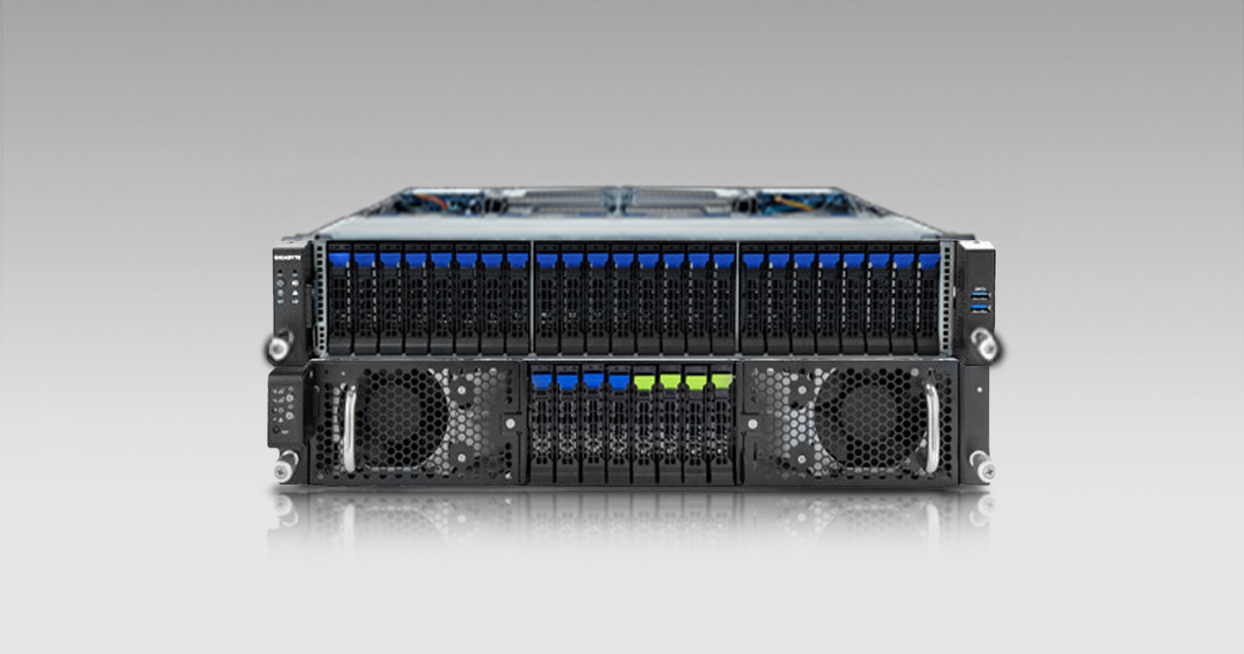
MySQL, PostgreSQL, and MS SQL can only respond as quickly as the underlying storage can read from and write to. A database server therefore relies on NVMe SSDs in a RAID array and sufficient ECC RAM to ensure reliability. Configurations for this are available for the database servers.
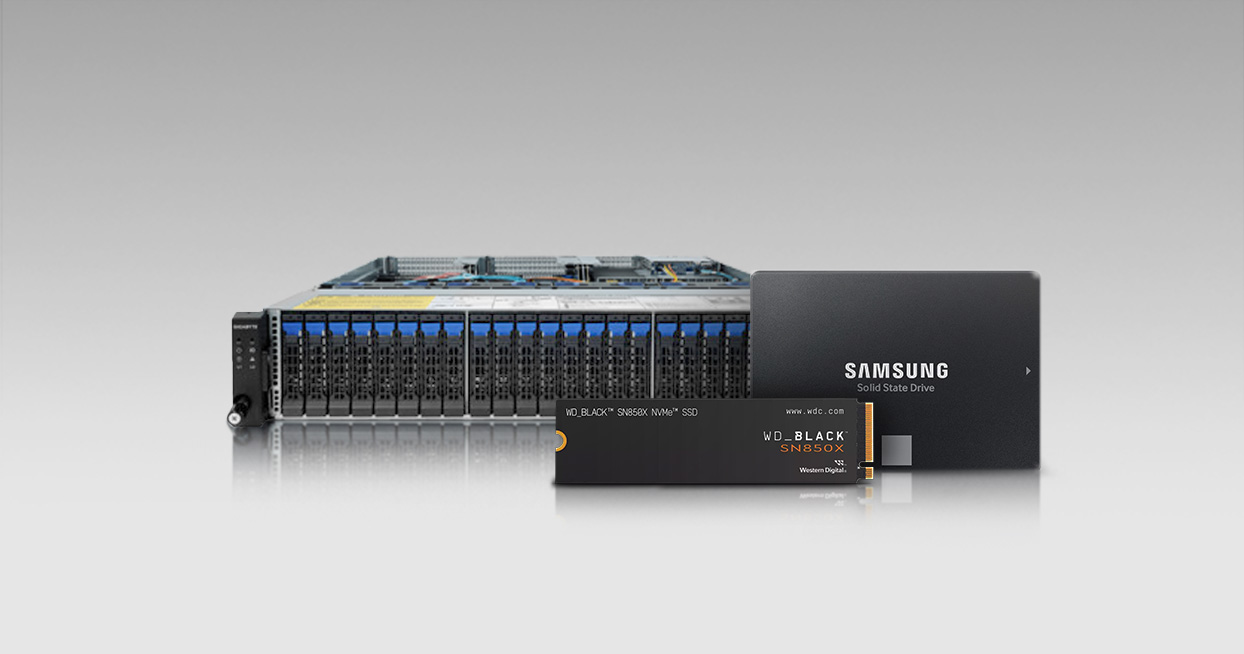
If capacity is the most important factor—for example, for a central data repository or as a backup destination for other systems on the network—what matters most is having plenty of drive bays and a robust RAID controller. You’ll find all configuration options under Storage Servers.
Virtualization Servers for VMware, Proxmox, and Hyper-V
Each virtual machine occupies its own portion of RAM, regardless of how heavily it is utilized. A virtualization server therefore combines a high number of cores with maximum RAM capacity so that many VMs can run side by side without competing for resources. You can find the right systems in the virtualization servers section.
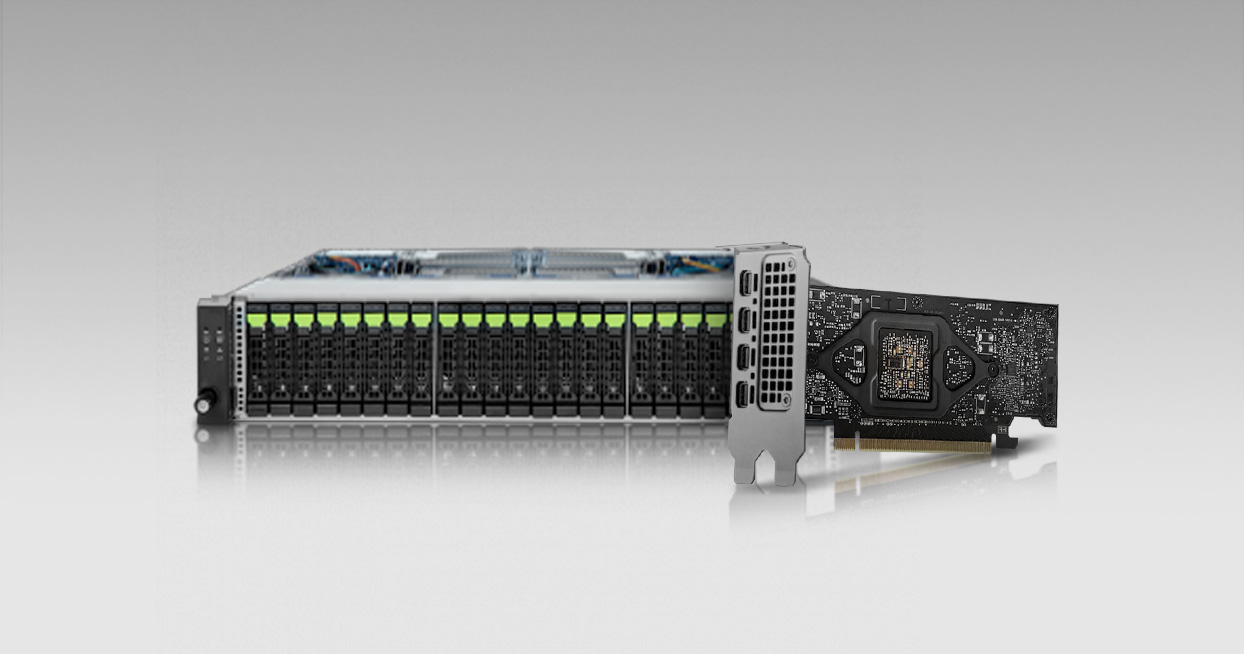
Scientific computing, simulation, and GPU rendering scale with the number of graphics cards. A GPU server houses multiple data center GPUs and supplies them with data via high-speed NVMe storage. Learn more about GPU servers.
AI PC or AI Server: When Is It Worth Switching to a Rack Solution?
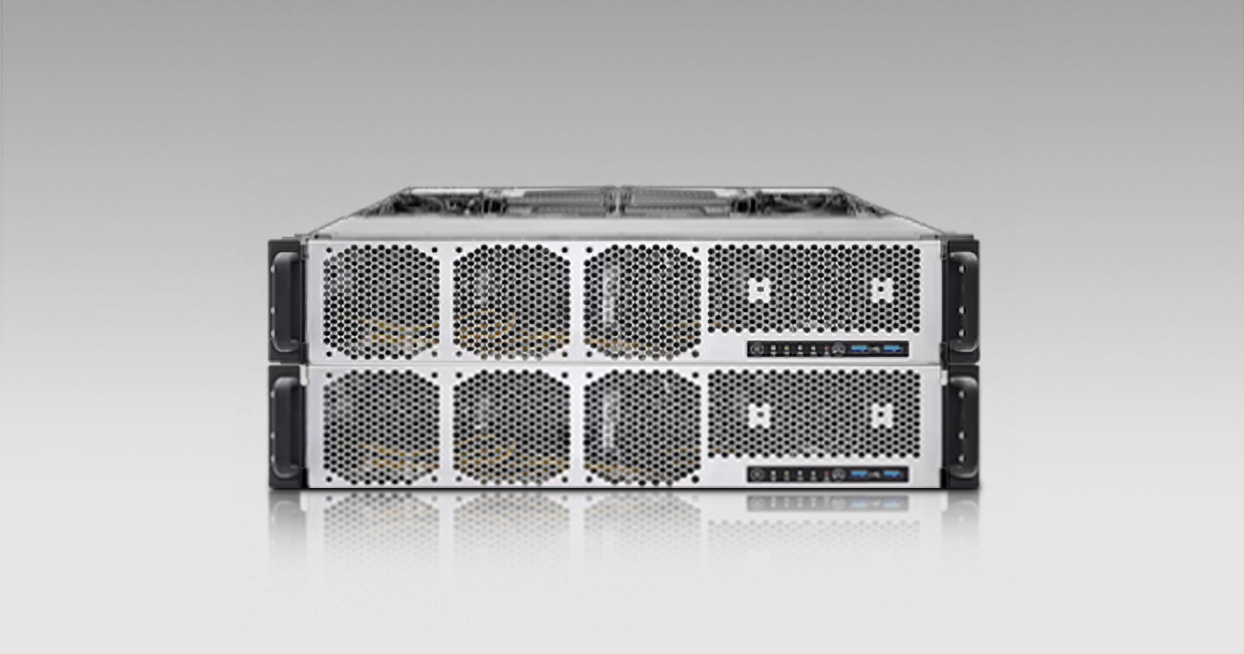
If four graphics cards in a tower case are no longer sufficient, or if the computing power needs to be available to multiple users simultaneously on a network, an AI PC is no longer the right category. Our AI servers are based on the same principle, featuring up to eight GPUs in a rack-mounted configuration, redundant power supplies, and remote maintenance via IPMI for continuous operation in the server room rather than at a desk. This is useful, for example, for productive teams that share the same models over the network, or for training tasks that would tie up a single AI PC for days on end. Suitable systems for these purposes are available among our AI servers.
Show more
How big does the server need to be? Rack sizes from 1U to 5U
The height unit determines how much space your server occupies in the rack and how far it can be extended. The rack servers provide an overview of all formats; the following table shows which format is suitable for which application:
Format
Drive bays
GPU Expansion
Typical Use
1U
A few, usually 2 to 4
up to 1 GPU
Virtualization, compact network and application services
2U
Medium, usually 8 to 12
up to 4 GPUs
All-purpose server, database, virtualization
4U
Many, some over 24, server-specific
Up to 8 GPUs
Storage server, database server, GPU server
5U (HGX)
few, designed for fast NVMe
Up to 8 SXM GPUs in a cluster
AI training, HPC clusters
When choosing the rack format, don’t base your decision on today’s needs, but on your maximum future requirements. A half-equipped 2U server is the more cost-effective choice over five years than a fully maxed-out 1U server that needs to be replaced after two years.
1U Server: Maximum Density in a Single Unit of Height
A 1U server delivers full computing power in a minimal amount of space, as a single- or dual-socket system for virtualization and compact network and application services. The trade-off: few drive bays, a maximum of two expansion cards, and graphics cards limited to low-profile format. You can find suitable systems among the 1U servers.
2U Server: The All-Rounder with Room for Expansion
With eight to twelve drive bays and up to four expansion cards, a 2U server offers the best balance of expandability, cooling, and space requirements. For database and virtualization applications in small and medium-sized businesses, this is the format most companies start with, and in the GPU variant, it can also accommodate the first accelerator cards. Configurations are available in the 2U server section.
4U and 5U Servers: Space for Storage Arrays and GPU Expansion
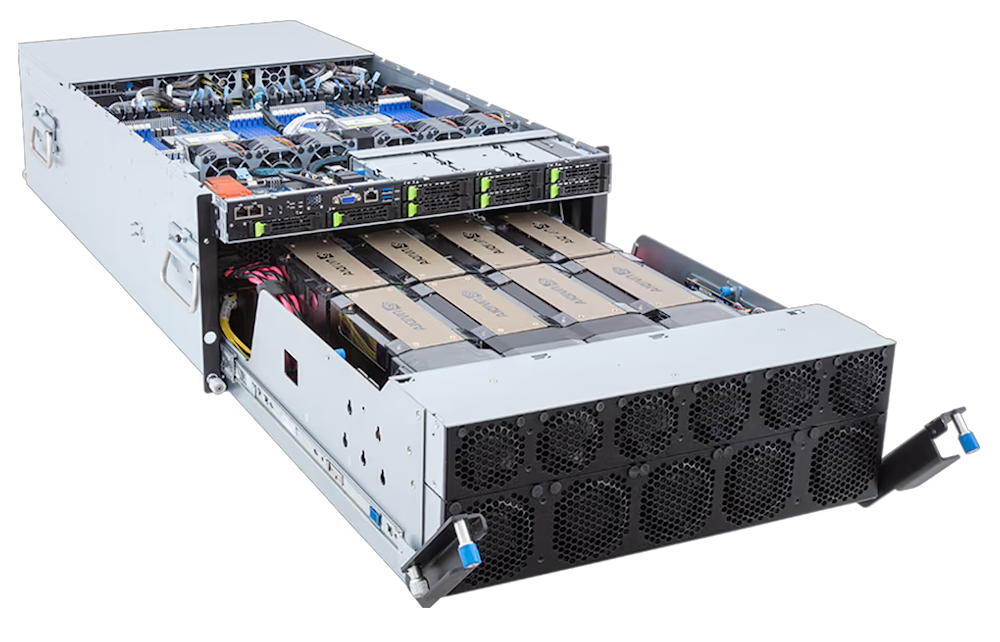
A 4U server accommodates extensive storage arrays, some with over 24 drive bays, multiple expansion cards, and redundant power supplies; in its GPU variant, it supports up to eight graphics cards. This makes it equally suitable for storage, database, and GPU applications; you can find the corresponding systems under the 4U servers. Our 5U systems represent the highest level of AI configuration, featuring up to eight directly interconnected GPUs based on the NVIDIA HGX server platform, the industry standard for multi-GPU servers in AI training.
AMD EPYC or Intel Xeon: Which processor is right for your server?
The choice of processor depends first and foremost on your workload, not on the number of cores per se. Dozens of virtual machines require many cores running simultaneously, while individual database queries depend more on memory bandwidth and single-core clock speed. Two platforms currently dominate server workloads: the AMD EPYC 9005 series and Intel Xeon Scalable (or Xeon 6):
Criterion
AMD EPYC 9005
Intel Xeon 6
Cores (Performance variant)
up to 128 (Zen 5)
up to 128 (P-cores)
Threads per socket
up to 384
up to 288
Memory channels per socket
up to 12
8 to 12 per series
Socket
Single or dual
Single or dual
Thickness
Core density, price-performance ratio
Storage bandwidth, ecosystem
Typical Use Cases
Virtualization, cloud hosting, HPC
Databases, mission-critical software
AMD achieves 192 cores with Zen 5c: full-fledged Zen 5 cores with identical feature sets and SMT, but built more compactly, with less cache and lower clock speeds, hence the 384 threads. Intel achieves 288 cores with its E-cores, a proprietary, leaner core architecture without Hyper-Threading. The standard models from both manufacturers, with up to 128 Zen 5 or P-cores, respectively, remain the go-to choice for databases and any application where every single core counts; the high-core-count variants are designed for many parallel, light-load tasks such as web services and containers. Here’s a practical tip, since many software licenses are billed per core: Deliberately plan for the smallest configuration that can reliably handle the workload, don’t automatically go for the largest one. You can read about how both platforms differ in detail in the Server Technology Highlights.
Single- or Dual-Socket Servers: When Two Processors Are Necessary
File servers, smaller databases, and individual virtualized workloads run reliably on a single socket, and that’s almost always the more cost-effective choice. A second processor is worthwhile as soon as a large number of virtual machines, large databases, or computationally intensive simulations need to run simultaneously. This not only doubles the number of cores but also the memory channels and PCIe lanes for additional GPUs and NVMe storage.
ECC Memory: Why It’s Used in Servers
ECC memory automatically detects and corrects bit errors without you even noticing. That may sound unspectacular until you imagine the worst-case scenario: A single undetected memory error can corrupt a database or backup for days without being noticed, and the error gets carried over into every copy. If a server runs around the clock or if data integrity is contractually critical, ECC RAM becomes a must.
GPUs in Servers: When a GPU or AI Server Is Worth It
Not every server needs a graphics card. File servers, database servers, and virtualization hosts can do without one; their workload relies on the CPU, RAM, and storage. That changes as soon as the application can be parallelized: rendering, simulation, training, and inference of AI models run many times faster on GPUs than on any processor. For most of these workloads, one to four cards per system are sufficient; a full eight-GPU system is only worthwhile for serious AI training. Our servers accommodate up to eight data center graphics cards, such as the NVIDIA L40S or H200, and can be combined with up to 4,608 GB of DDR5 ECC memory.
NVIDIA HGX: Eight GPUs Working as a Single Unit Within the Server
Once the number of GPUs is determined, a fundamental decision remains: individual cards in a standard chassis or a true HGX platform. With the NVIDIA HGX server platform, up to eight GPUs are directly connected to each other via NVLink and operate as a single large computing unit, rather than as eight cards with limited communication between them. When training large models, where the cards constantly exchange intermediate results. This is precisely what makes the difference and justifies the higher upfront costs.
One point to consider during planning: Depending on the configuration, a fully equipped HGX server draws several kilowatts of power and dissipates that energy as waste heat. It’s best to clarify your location’s power supply and cooling capacity before placing an order; our B2B team will advise you on this in advance.
How much storage and RAM does your server need?
Here, too, the application dictates the requirements: A file server needs capacity and redundancy; a database needs fast NVMe storage and enough RAM; a virtualization host needs, above all, RAM. The following table summarizes the guidelines:
Application
RAM (Guideline)
Storage Priority
Recommended Configuration
File server
32 to 64 GB
Capacity, Redundancy
Multiple HDDs or SSDs in a RAID array
Database server
64 to 256 GB
IOPS, low latency
NVMe SSDs, mirrored or RAID 10
Storage server
32 to 64 GB
Maximum capacity
Multiple HDDs in RAID 6 or equivalent
Virtualization server
256 to 512 GB
Balanced, RAM-intensive
NVMe for system VMs, SATA/SAS for data
GPU server
128 to 512 GB
Throughput for data sets
Fast NVMe close to the GPUs
AI servers
512 GB and more
Capacity and throughput
NVMe in RAID, scaled according to model size
As a general guideline across all applications: the more write-intensive the workload, the more NVMe speed matters over pure capacity. The more capacity-intensive the workload, the more traditional hard drives in a RAID array will suffice. And a warning that should never be overlooked in server planning: RAID mitigates the failure of individual drives but is no substitute for a backup. Deleted or encrypted data remains deleted or encrypted even in a RAID array.
A server is a long-term decision: Support and replacement parts
A server typically remains in service significantly longer than a workstation, often five years or more, because replacing it always involves migrating all data and services. This makes it all the more important that replacement parts for drives and power supplies remain available for years to come and that support responds quickly in the event of a failure. Every MIFCOM server undergoes a multi-stage testing process before shipment, which checks component compatibility, heat generation under continuous load, and system stability. In addition, we provide a 3-year warranty, independent of the manufacturers’ warranties for individual components.
How big does the server need to be? Rack sizes from 1U to 5U
The height unit determines how much space your server occupies in the rack and how far it can be extended. The rack servers provide an overview of all formats; the following table shows which format is suitable for which application:
Format
Drive bays
GPU Expansion
Typical Use
1U
A few, usually 2 to 4
up to 1 GPU
Virtualization, compact network and application services
2U
Medium, usually 8 to 12
up to 4 GPUs
All-purpose server, database, virtualization
4U
Many, some over 24, server-specific
Up to 8 GPUs
Storage server, database server, GPU server
5U (HGX)
few, designed for fast NVMe
Up to 8 SXM GPUs in a cluster
AI training, HPC clusters
When choosing the rack format, don’t base your decision on today’s needs, but on your maximum future requirements. A half-equipped 2U server is the more cost-effective choice over five years than a fully loaded 1U server that needs to be replaced after two years.
1U Server: Maximum Density in a Single Unit of Height
A 1U server delivers full computing power in a minimal amount of space, as a single- or dual-socket system for virtualization and compact network and application services. The trade-off: few drive bays, a maximum of two expansion cards, and graphics cards limited to low-profile format. You can find suitable systems among the 1U servers.
2U Server: The All-Rounder with Room for Expansion
With eight to twelve drive bays and up to four expansion cards, a 2U server offers the best balance of expandability, cooling, and space requirements. For database and virtualization applications in small and medium-sized businesses, this is the format most companies start with, and in the GPU variant, it can also accommodate the first accelerator cards. Configurations are available in the 2U server section.
4U and 5U Servers: Space for Storage Arrays and GPU Expansion
A 4U server accommodates extensive storage arrays, some with over 24 drive bays, multiple expansion cards, and redundant power supplies; in its GPU variant, it supports up to eight graphics cards. This makes it equally suitable for storage, database, and GPU applications; you can find the corresponding systems in the 4U server lineup. Our 5U systems represent the highest level of AI configuration, featuring up to eight directly interconnected GPUs based on the NVIDIA HGX server platform, the industry standard for multi-GPU servers in AI training.
AMD EPYC or Intel Xeon: Which processor is right for your server?
The choice of processor depends first and foremost on your workload, not on the number of cores per se. Dozens of virtual machines require many cores running simultaneously, while individual database queries depend more on memory bandwidth and single-core clock speed. Two platforms currently dominate server workloads: the AMD EPYC 9005 series and Intel Xeon Scalable (or Xeon 6):
Criterion
AMD EPYC 9005
Intel Xeon 6
Cores (Performance variant)
up to 128 (Zen 5)
up to 128 (P-cores)
Threads per socket
up to 384
up to 288
Memory channels per socket
up to 12
8 to 12 per series
Socket
Single or dual
Single or dual
Thickness
Core density, price-performance ratio
Storage bandwidth, ecosystem
Typical Use Cases
Virtualization, cloud hosting, HPC
Databases, mission-critical software
AMD achieves 192 cores with Zen 5c: full-fledged Zen 5 cores with identical feature sets and SMT, but built more compactly, with less cache and lower clock speeds, hence the 384 threads. Intel achieves 288 cores with its E-cores, a proprietary, leaner core architecture without Hyper-Threading. The standard models from both manufacturers, with up to 128 Zen 5 or P-cores, respectively, remain the go-to choice for databases and any scenario where every single core counts; the high-core-count variants are designed for many parallel, light-load tasks such as web services and containers. Here’s a practical tip, since many software licenses are billed per core: Deliberately plan for the smallest configuration that reliably handles the workload, don’t automatically go for the largest one. You can read about how both platforms differ in detail in the Server Technology Highlights.
Single- or Dual-Socket Servers: When Two Processors Are Necessary
File servers, smaller databases, and individual virtualized workloads run reliably on a single socket, and that’s almost always the more cost-effective choice. A second processor is worthwhile as soon as a large number of virtual machines, large databases, or computationally intensive simulations need to run simultaneously. This not only doubles the number of cores but also the memory channels and PCIe lanes for additional GPUs and NVMe storage.
ECC Memory: Why It’s Used in Servers
ECC memory automatically detects and corrects bit errors without you even noticing. That sounds unspectacular until you imagine the worst-case scenario: A single undetected memory error can corrupt a database or backup for days without being noticed, and the error gets carried over into every copy. If a server runs around the clock or if data integrity is contractually critical, ECC RAM becomes a must.
GPUs in Servers: When a GPU or AI Server Is Worth It
Not every server needs a graphics card. File servers, database servers, and virtualization hosts can do without one; their workload relies on the CPU, RAM, and storage. That changes as soon as the application can be parallelized: rendering, simulation, training, and inference of AI models run many times faster on GPUs than on any processor. For most of these workloads, one to four cards per system are sufficient; a full eight-GPU system is only worthwhile for serious AI training. Our servers accommodate up to eight data center graphics cards, such as the NVIDIA L40S or H200, and can be combined with up to 4,608 GB of DDR5 ECC memory.
NVIDIA HGX: Eight GPUs Working as a Single Unit Within the Server
Once the number of GPUs is determined, a fundamental decision remains: individual cards in a standard chassis or a true HGX platform. With the NVIDIA HGX server platform, up to eight GPUs are directly connected to each other via NVLink and operate as a single large computing unit, rather than as eight cards with limited communication between them. When training large models, where the cards constantly exchange intermediate results. This is precisely what makes the difference and justifies the higher upfront costs.
One point to consider during planning: Depending on the configuration, a fully equipped HGX server draws several kilowatts of power and dissipates that energy as waste heat. It’s best to clarify your location’s power supply and cooling capacity before placing an order; our B2B team will advise you on this in advance.
How much storage and RAM does your server need?
Here, too, the application dictates the requirements: A file server needs capacity and redundancy; a database needs fast NVMe storage and enough RAM; a virtualization host needs, above all, RAM. The following table summarizes the guidelines:
Application
RAM (Guideline)
Storage Priority
Recommended Configuration
File server
32 to 64 GB
Capacity, Redundancy
Multiple HDDs or SSDs in a RAID array
Database server
64 to 256 GB
IOPS, low latency
NVMe SSDs, mirrored or RAID 10
Storage server
32 to 64 GB
Maximum capacity
Multiple HDDs in RAID 6 or equivalent
Virtualization server
256 to 512 GB
Balanced, RAM-intensive
NVMe for system VMs, SATA/SAS for data
GPU server
128 to 512 GB
Throughput for data sets
Fast NVMe close to the GPUs
AI servers
512 GB and more
Capacity and throughput
NVMe in RAID, scaled according to model size
As a general guideline across all applications: the more write-intensive the workload, the more NVMe speed matters over pure capacity. The more capacity-intensive the workload, the more traditional hard drives in a RAID array will suffice. And here’s a warning that should never be overlooked in server planning: RAID mitigates the failure of individual drives but is no substitute for a backup. Deleted or encrypted data remains deleted or encrypted even in a RAID array.
A server is a long-term investment: Support and replacement parts
A server typically remains in service significantly longer than a workstation, often five years or more, because replacing it always involves migrating all data and services. This makes it all the more important that replacement parts for drives and power supplies remain available for years to come and that support responds quickly in the event of a failure. Every MIFCOM server undergoes a multi-stage testing process before shipment, which checks component compatibility, heat generation under continuous load, and system stability. In addition, we provide a 3-year warranty, independent of the manufacturers’ warranties for individual components.
FAQ: Frequently AskedQuestions About Choosing a Server
What is the difference between a server and a workstation?
Servers and workstations differ in terms of their intended use and specifications: Servers: Designed for continuous operation to support many concurrent users. ECC RAM, hot-swap drives, redundant power supplies, and IPMI remote management are therefore standard features, ensuring that operations continue without on-site intervention even in the event of a failure. Workstations: Designed for interactive work by a single user. Server features are optional at best, but not standard.
What rack format do I need for my server?
The appropriate format depends on expandability and GPU requirements: 1U: maximum density, limited space for drives and expansion cards 2U: flexible all-rounder for databases, virtualization, and basic GPU options 4U: large storage arrays and up to eight graphics cards 5U: up to eight GPUs connected directly via NVLink for AI training
Which processor do I need for my server?
The choice depends on the workload, not just the number of cores: AMD EPYC 9005: Up to 192 cores and 12 memory channels across the board deliver a strong price-performance ratio, designed for high density in virtualization and cloud hosting. Intel Xeon 6:A large L3 cache and certifications for mission-critical software such as SAP HANA or Oracle make these models the top choice for databases and enterprise workloads.
Do I need a single-socket or dual-socket server?
Most applications, such as file servers or smaller databases, run reliably on a single socket. A second processor is worthwhile as soon as a large number of virtual machines, large databases, or computationally intensive simulations need to run simultaneously.
Is ECC RAM really a must for a server?
ECC memory is mandatory for servers. Servers often run around the clock and serve multiple users simultaneously; an undetected memory error can corrupt databases or backups for days without being noticed.
How much RAM does my server need?
That depends on the application 32 to 64 GB: file servers and storage servers 64 to 256 GB: databases 256 to 512 GB: medium-sized virtualization environments 512 GB and more: large databases, simulations, or AI workloads
How much storage do I need for my server?
The required storage capacity depends on the application, not on a fixed capacity: File servers: as many drive bays as possible in a RAID configuration for capacity and redundancy Database servers: a few, but very fast, NVMe SSDs for high IOPS Storage servers: maximum capacity in RAID 5, 6, or 10, supplemented by an NVMe cache for frequent accesses GPU and AI servers: fast NVMe drives so that loading datasets from internal storage doesn’t slow down the server’s performance
When do I need a GPU or AI server?
As soon as the application performs computations that can be parallelized, such as rendering, simulations, or the training and inference of AI models. For rendering, simulations, and similar HPC tasks with just a few graphics cards, a standard GPU server is sufficient; for training large language models, you’ll need up to eight directly connected GPUs, such as those provided by the NVIDIA HGX platform.
How many GPUs can a server accommodate?
The rack format sets the limit: 1U: up to one GPU 2U: up to four GPUs 4U: up to eight graphics cards 5U (HGX): up to eight GPUs, directly connected to each other via NVLink
Is it worth having your own server, or is cloud hosting sufficient?
The deciding factors are control, cost, and application: Local server: Full control over hardware and data; no ongoing usage fees after purchase. Recommended for sensitive data, compliance requirements, or consistently high utilization. Cloud hosting: No upfront costs, rapid scaling for fluctuating workloads. However, ongoing costs increase with usage, and data is stored externally.
Can I upgrade a server later?
As long as the server platform still allows it, you can upgrade any MIFCOM server. Expansion options include additional drives via hot-swap bays, more RAM via available RAM slots, and additional graphics cards via available PCIe slots, provided the selected rack format is designed to support them. If you anticipate growth, it’s worth choosing a rack format one size larger.
How do I find the right server for my application?
The best way to choose the right serveris to base your selection on your specific application. File servers, database servers, storage servers, virtualization servers, GPU servers, and AI servers each have different requirements for the processor, storage, and memory. The“Servers by Application”category provides an overview of all six use cases. If you’re unsure which server is right for your project, our B2B teamwill help you directly in selecting the appropriate configuration.
Why Choose MIFCOM for Servers
MIFCOM is an official NVIDIA Solution Provider in the NVIDIA Partner Network, with “Preferred” status in the areas of Compute and Visualization, and “Registered” status in the area of NVIDIA Enterprise Software. This partnership gives us direct access to the latest NVIDIA technologies, reference architectures, and technical support—all of which directly benefit your configuration. Every server is configured in Germany, tested under real-world conditions, and supported by a dedicated team—from the initial consultation through to deployment.
Configure Your Server Now
You now know the various requirements for a server: the application, the rack format, and the platform. Build your system component by component in the Server Configurator, or start by getting an overview of all systems in our Server Category. Businesses, data centers, and public institutions also benefit from dedicated contact persons, quotes for bids, purchase on account or leasing, and optional premium service. Contact our B2B teamdirectly—by phone, email, or live chat.
FAQ: Frequently Asked Questions About Choosing a Server
What is the difference between a server and a workstation?
Servers and workstations differ in terms of their intended use and specifications: Servers: Designed for continuous operation to support many simultaneous users. ECC RAM, hot-swap drives, redundant power supplies, and IPMI remote management are therefore standard features, ensuring that operations continue without on-site intervention even in the event of a failure. Workstations: Designed for interactive work by a single user. Server features are optional at best, but not standard.
What rack format do I need for my server?
The appropriate format depends on expandability and GPU requirements 1U: maximum density, limited space for drives and expansion cards 2U: flexible all-rounder for databases, virtualization, and basic GPU options 4U: large storage arrays and up to eight graphics cards 5U: up to eight GPUs connected directly via NVLink for AI training
Which processor do I need for my server?
The choice depends on the workload, not just the number of cores: AMD EPYC 9005: Up to 192 cores and 12 memory channels throughout ensure a strong price-performance ratio, designed for high density in virtualization and cloud hosting. Intel Xeon 6:A large L3 cache and certifications for mission-critical software such as SAP HANA or Oracle make these models the top choice for databases and enterprise workloads.
Do I need a single-socket or dual-socket server?
Most applications, such as file servers or smaller databases, run reliably on a single socket. A second processor is worthwhile as soon as a large number of virtual machines, large databases, or computationally intensive simulations need to run simultaneously.
Is ECC RAM really a must for a server?
ECC memory is mandatory for servers. Servers often run around the clock and serve multiple users simultaneously; an undetected memory error can corrupt databases or backups for days without being noticed.
How much RAM does my server need?
That depends on the application: 32 to 64 GB: file servers and storage servers 64 to 256 GB: databases 256 to 512 GB: medium-sized virtualization environments 512 GB and more: large databases, simulations, or AI workloads
How much storage do I need for my server?
The required storage capacity depends on the application, not on a fixed capacity: File servers: as many drive bays as possible in a RAID configuration for capacity and redundancy Database servers: a few, but very fast, NVMe SSDs for high IOPS Storage servers: maximum capacity in RAID 5, 6, or 10, supplemented by an NVMe cache for frequent accesses GPU and AI servers: fast NVMe drives so that loading datasets from internal storage doesn’t slow down the server’s performance
When do I need a GPU or AI server?
As soon as the application performs computations that can be parallelized, such as rendering, simulations, or the training and inference of AI models. For rendering, simulations, and similar HPC tasks with just a few graphics cards, a standard GPU server is sufficient; for training large language models, you’ll need up to eight directly connected GPUs, such as those provided by the NVIDIA HGX platform.
How many GPUs can a server accommodate?
The rack format sets the limit: 1U: up to one GPU 2U: up to four GPUs 4U: up to eight graphics cards 5U (HGX): up to eight GPUs, directly connected to each other via NVLink
Is it worth having your own server, or is cloud hosting sufficient?
The deciding factors are control, cost, and application: Local server: Full control over hardware and data; no ongoing usage fees after purchase. Recommended for sensitive data, compliance requirements, or consistently high utilization. Cloud hosting: No upfront costs, rapid scaling for fluctuating workloads. However, ongoing costs increase with usage, and the data is stored externally.
Can I upgrade a server later?
As long as the server platform still allows it, you can upgrade any MIFCOM server. Expansion options include additional drives via hot-swap bays, more RAM via available RAM slots, and additional graphics cards via available PCIe slots, provided the selected rack format is designed to support them. If you anticipate growth, it’s worth choosing a rack format one size larger.
How do I find the right server for my application?
The best way to choose the right serveris to base your selection on your specific application. File servers, database servers, storage servers, virtualization servers, GPU servers, and AI servers each have different requirements for the processor, storage, and memory. The“Servers by Application”category provides an overview of all six use cases. If you’re unsure which server is right for your project, our B2B teamwill help you directly in selecting the appropriate configuration.
Why Choose MIFCOM for Servers
MIFCOM is an official NVIDIA Solution Provider in the NVIDIA Partner Network, with “Preferred” status in the areas of Compute and Visualization, and “Registered” status in the area of NVIDIA Enterprise Software. This partnership gives us direct access to the latest NVIDIA technologies, reference architectures, and technical support—all of which directly benefit your configuration. Every server is configured in Germany, tested under real-world conditions, and supported by a dedicated team—from the initial consultation through to commissioning.
Configure Your Server Now
You now know the various requirements for a server: the application, the rack format, and the platform. Build your system component by component in the Server Configurator, or start by getting an overview of all systems in our Server Category. Businesses, data centers, and public institutions also benefit from dedicated contact persons, quotes for bids, purchase on account or leasing, and optional premium service. Contact our B2B teamdirectly—by phone, email, or live chat.