
Discover our new Kick-Ass Systems
Watercooled PC guide 2026
 | What are the benefits of PC water cooling?
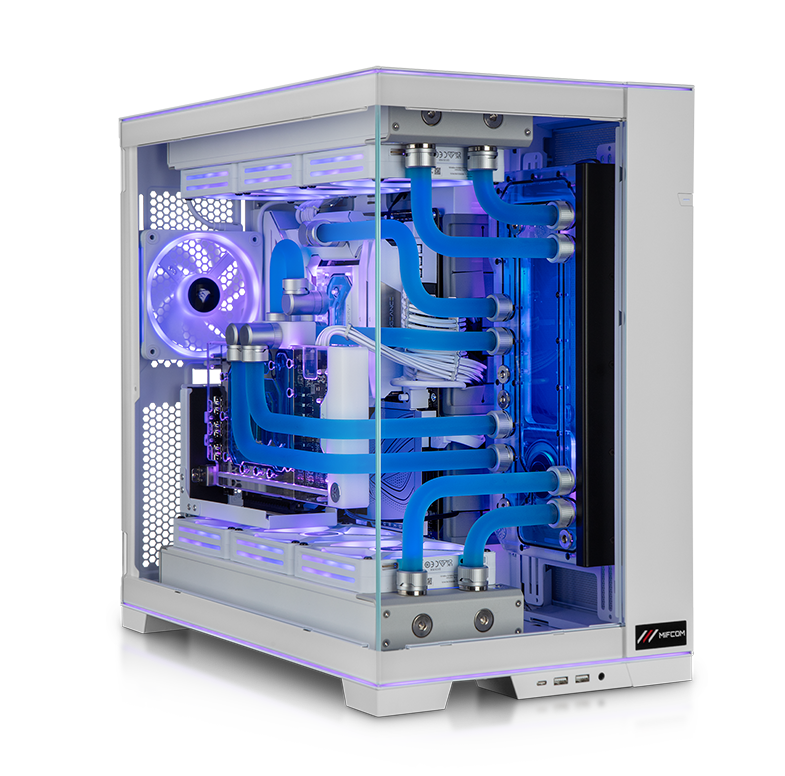
Water-cooled PC systems represent the absolute top tier in the high-end segment. In MIFCOM’s water-cooled high-end PC systems, the processor, graphics card(s), and, if applicable, the motherboard are cooled highly efficiently with water. Water cooling allows for extreme processor overclocking without the risk of instability due to insufficient cooling. At the same time, multiple high-end graphics cards (in an SLI configuration with an NVLink bridge) can be cooled very effectively and operated quietly in a water-cooled PC. With conventional air cooling, the lower graphics card heats up the upper one as well, causing it to reach its temperature limit faster (known as thermal throttling). This causes the graphics card to automatically throttle down to prevent damage from overheating, resulting in the desired computing performance not being achieved. A water-cooled PC with an SLI configuration thus keeps the graphics cards at temperatures that are unimaginable with air cooling. Thanks to the improved cooling, the lifespan of the individual components increases and power consumption decreases, a win-win situation!
For enthusiasts who want to get the maximum performance out of their system but still don’t want to sacrifice a quiet system, there’s really no way around water cooling. |
|
What are the benefits of PC water cooling?
Water-cooled PC systems represent the absolute top tier in the high-end segment. In MIFCOM’s water-cooled high-end PC systems, the processor, graphics card(s), and, if applicable, the motherboard are cooled highly efficiently with water. Water cooling allows for extreme processor overclocking without the risk of instability due to insufficient cooling. At the same time, multiple high-end graphics cards (in an SLI configuration with an NVLink bridge) can be cooled very effectively and operated quietly in a water-cooled PC. With conventional air cooling, the lower graphics card heats up the upper one as well, causing it to reach its temperature limit faster (known as thermal throttling). This causes the graphics card to automatically throttle down to prevent damage from overheating, resulting in the desired computing performance not being achieved. A water-cooled PC with an SLI configuration thus keeps the graphics cards at temperatures that are unimaginable with air cooling. Thanks to the improved cooling, the lifespan of the individual components increases and power consumption decreases, a win-win situation!
For enthusiasts who want to get the maximum performance out of their system but still don’t want to sacrifice a quiet system, there’s really no way around water cooling. |
What components do you need for a water-cooled PC?
 | The case: the foundation of a water-cooled PC
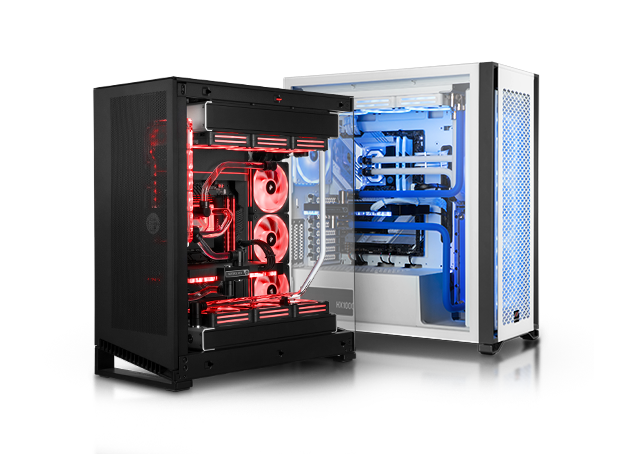
Just like with any other PC, the individual PC components and the associated water cooling system must be housed in a case. The challenge in selecting a case lies in the fact that there are only a few cases on the market that offer enough space to accommodate a triple or quad radiator. A water cooling system designed to cool both the processor and the graphics card(s) requires at least two radiators.
This further limits the selection. Cases from Corsair’s Crystal series, such as the 280X, 570X, or 680X, are very popular. However, we also offer water cooling systems for cases from Fractal Design, Lian Li, Phanteks, and Thermaltake. |
What components do you need for a water-cooled PC?
|
The case: the foundation of a water-cooled PC
Just like with any other PC, the individual PC components and the associated water cooling system must be housed in a case. The challenge in selecting a case lies in the fact that there are only a few cases on the market that offer enough space to accommodate a triple or quad radiator. A water cooling system designed to cool both the processor and the graphics card(s) requires at least two radiators.
This further limits the selection. Cases from Corsair’s Crystal series, such as the 280X, 570X, or 680X, are very popular. However, we also offer water cooling systems for cases from Fractal Design, Lian Li, Phanteks, and Thermaltake. |
 | The Pump: The Heart of PC Water Cooling
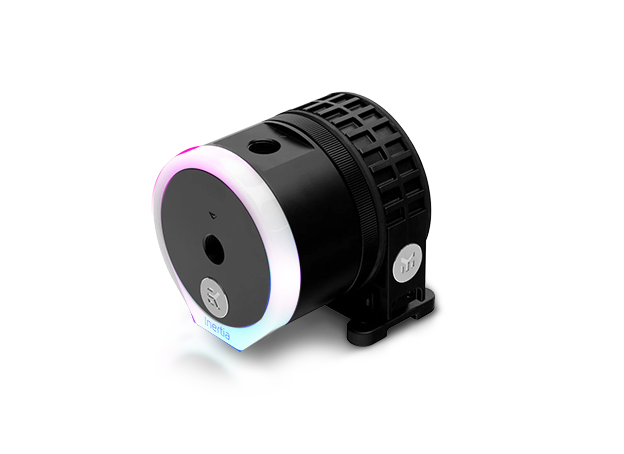
The pump is the heart of a PC water cooling system. It is responsible for circulating the water through the loop. The coolant must not flow too slowly, as heat cannot be dissipated from critical components, but also not too quickly, as the water would otherwise not have enough time to absorb the heat.
Modern pumps for water cooling systems, however, go far beyond the simple function of keeping the water moving. Pumps from EKWB (EK Water Blocks) deserve special mention. They are characterized by quiet operation, elegant design, and exceptionally high build quality. Robust mechanics ensure long-term reliable operation and the performance required for complex circuits. |
|
The Pump: The Heart of PC Water Cooling
The pump is the heart of a PC water cooling system. It is responsible for circulating the water through the loop. The coolant must not flow too slowly, as heat cannot be dissipated from critical components, but also not too quickly, as the water would otherwise not have enough time to absorb the heat.
Modern pumps for water cooling systems, however, go far beyond the simple function of keeping the water moving. Pumps from EKWB (EK Water Blocks) deserve special mention. They are characterized by quiet operation, elegant design, and exceptionally high build quality. Robust mechanics ensure long-term reliable operation and the performance required for complex circuits. |
 | The expansion tank: easy access to the cooling circuit
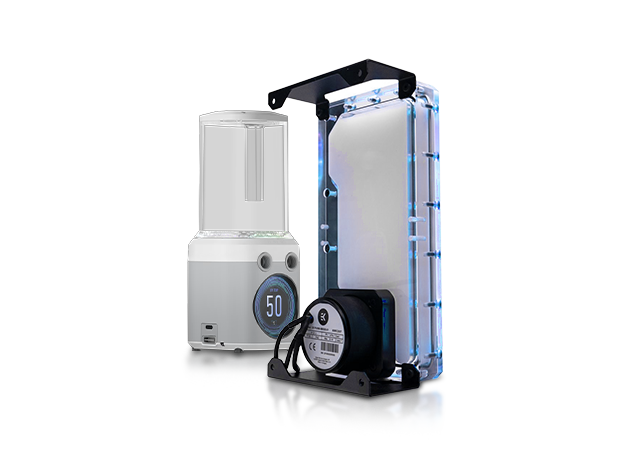
The expansion tank (also known as a reservoir) is another essential component of any water cooling system. As the temperature rises, the water in the system expands slightly and contracts again once it cools down. To compensate for these temperature-related volume fluctuations, expansion tanks are used, which are partially filled with air.
If an expansion tank were not present, or if it were completely filled with water, the water cooling system could burst. In addition, the expansion tank provides easy access to the cooling circuit. This allows the water cooling system to be bled if necessary, or coolant to be easily refilled in case a significant amount has been lost over time due to evaporation. Sometimes, for example in very compact water cooling systems, the reservoir is combined with the pump to save space. At the same time, the expansion tank is also an interesting modding element, for instance when RGB lighting is involved. |
|
The expansion tank: easy access to the cooling circuit
The expansion tank (also known as a reservoir) is another essential component of any water cooling system. As the temperature rises, the water in the system expands slightly and contracts again once it cools down. To compensate for these temperature-related volume fluctuations, expansion tanks are used, which are partially filled with air.
If an expansion tank were not present, or if it were completely filled with water, the water cooling system could burst. In addition, the expansion tank provides easy access to the cooling circuit. This allows the water cooling system to be bled if necessary, or coolant to be easily refilled in case a significant amount has been lost over time due to evaporation. Sometimes, for example in very compact water cooling systems, the reservoir is combined with the pump to save space. At the same time, the expansion tank is also an interesting modding element, for instance when RGB lighting is involved. |
 | The Radiator: The System's Heat Exchanger
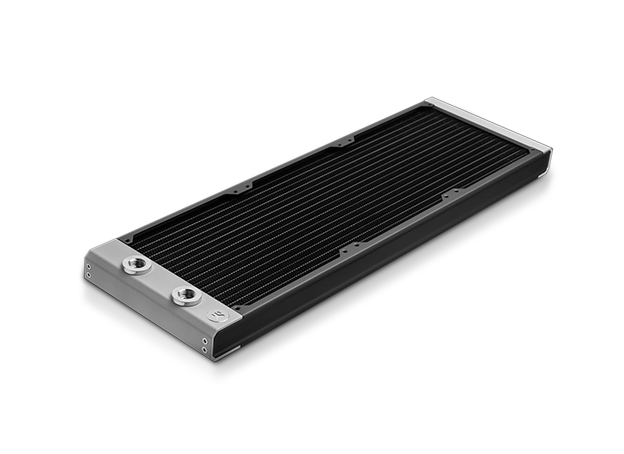
The radiator is the component that most significantly influences the performance of PC water cooling. Heated coolant flows through the radiator, transferring its heat to the radiator’s metal and thereby cooling down. The larger the radiator’s surface area, the more heat it can absorb or dissipate. A larger radiator (dual, triple, quad) therefore has a higher cooling capacity than a smaller (single) radiator. For effective cooling of an (overclocked) processor, at least a dual radiator (for two 120- or 140-mm fans) is recommended. If the graphics card is also to be cooled, at least two radiators should be installed. |
|
The Radiator: The System's Heat Exchanger
The radiator is the component that most significantly influences the performance of PC water cooling. Heated coolant flows through the radiator, transferring its heat to the radiator’s metal and thereby cooling down. The larger the radiator’s surface area, the more heat it can absorb or dissipate. A larger radiator (dual, triple, quad) therefore has a higher cooling capacity than a smaller (single) radiator. For effective cooling of an (overclocked) processor, at least a dual radiator (for two 120- or 140-mm fans) is recommended. If the graphics card is also to be cooled, at least two radiators should be installed. |
 | Radiator Fans: The Radiator's Coolers
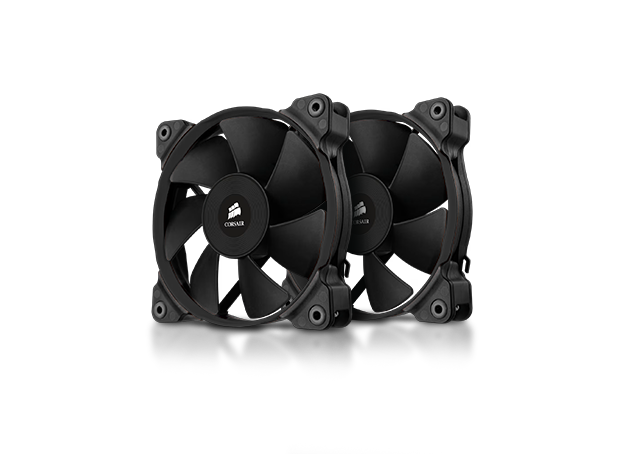
Once the coolant has transferred its heat to the radiator, the radiator itself must then be cooled. The heat must now be transferred from the radiator’s metal to the surrounding air. However, the fans used for this purpose must be selected even more carefully than case fans. This is because the fans should not only be quiet and have good cooling performance; they must also be compatible with the type of radiator. Radiators differ in terms of the design of their fins: there are both fine- and coarse-mesh variants. While coarse-mesh radiators are suitable for use with slow-rotating fans, they offer lower cooling performance and benefit little from faster-rotating fans. Fine-mesh radiators require fans with high static pressure to achieve optimal cooling performance.
However, many fans only achieve high static pressure at speeds exceeding 1,200 RPM, which results in correspondingly high noise levels. To make the most of such radiators without losing the quiet operation advantage of water cooling, specially optimized fans must be used that build up sufficiently high static pressure even at low RPMs and are very quiet overall. In this regard, Corsair fans have proven themselves very well. |
|
Radiator Fans: The Radiator's Coolers
Once the coolant has transferred its heat to the radiator, the radiator itself must then be cooled. The heat must now be transferred from the radiator’s metal to the surrounding air. However, the fans used for this purpose must be selected even more carefully than case fans. This is because the fans should not only be quiet and have good cooling performance; they must also be compatible with the type of radiator. Radiators differ in terms of the design of their fins: there are both fine- and coarse-mesh variants. While coarse-mesh radiators are suitable for use with slow-rotating fans, they offer lower cooling performance and benefit little from faster-rotating fans. Fine-mesh radiators require fans with high static pressure to achieve optimal cooling performance.
However, many fans only achieve high static pressure at speeds exceeding 1,200 RPM, which results in correspondingly high noise levels. To make the most of such radiators without losing the quiet operation advantage of water cooling, specially optimized fans must be used that build up sufficiently high static pressure even at low RPMs and are very quiet overall. In this regard, Corsair fans have proven themselves very well. |
 | CPU block: the cooling block for the processor
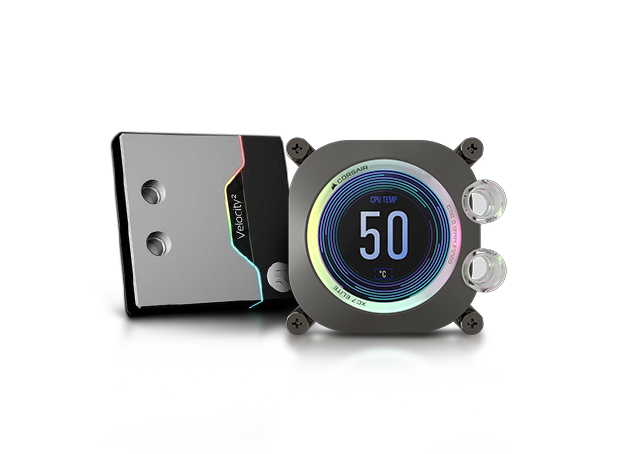
The CPU cooling block is mounted on the processor and directly absorbs the heat it generates. It has two ports for the water cooling circuit; cooling water flows in through one and, naturally, flows out through the other. The internal structure of modern CPU cooling blocks features many fine structures (so-called fins) that transfer heat very efficiently to the water.
CPU water coolers from EKWB (EK Water Blocks) offer particularly high cooling performance. However, the performance difference between the individual top-tier coolers is very small, so aesthetics can ultimately play a major role in the selection process. It is also important to note that the CPU cooler cools only the processor, not other parts of the motherboard. To ensure that the chipset and voltage regulator modules (VRMs) are also sufficiently cooled, good ventilation around the CPU socket is necessary. Alternatively, you can opt for a so-called monoblock. This is specifically tailored to a particular motherboard model and cools the processor, voltage regulator modules, and MOSFETs simultaneously. |
|
CPU block: the cooling block for the processor
The CPU cooling block is mounted on the processor and directly absorbs the heat it generates. It has two ports for the water cooling circuit; cooling water flows in through one and, naturally, flows out through the other. The internal structure of modern CPU cooling blocks features many fine structures (so-called fins) that transfer heat very efficiently to the water.
CPU water coolers from EKWB (EK Water Blocks) offer particularly high cooling performance. However, the performance difference between the individual top-tier coolers is very small, so aesthetics can ultimately play a major role in the selection process. It is also important to note that the CPU cooler cools only the processor, not other parts of the motherboard. To ensure that the chipset and voltage regulator modules (VRMs) are sufficiently cooled, good ventilation around the CPU socket is necessary. Alternatively, you can opt for a so-called monoblock. This is specifically tailored to a particular motherboard model and cools the processor, voltage regulator modules, and MOSFETs simultaneously. |
 | GPU Block: The Cooling Block for the Graphics Card(s)
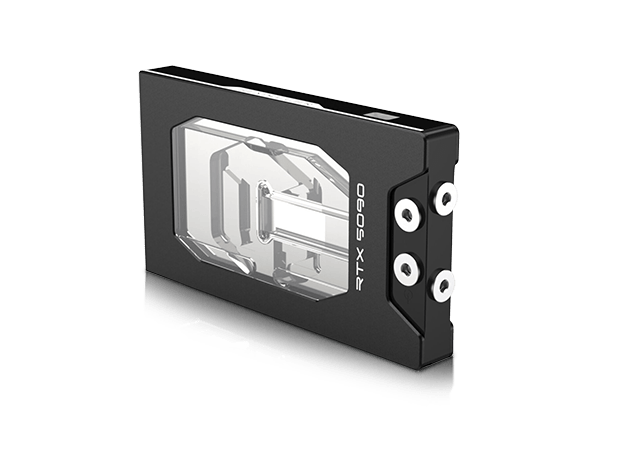
The GPU cooling block operates on the same principle as a CPU block and features functions similar to those of a monoblock. This means that not only is the graphics chip itself cooled, but cooling channels also run over the voltage regulators (VRMs) and the graphics memory (VRAM). GPU blocks are available for both manufacturers’ reference designs (NVIDIA and AMD) and custom designs from partners (such as ASUS, MSI, or Gigabyte). In terms of design, you can choose between a black (acetal) or a transparent (acrylic) look. The acrylic blocks can, of course, be equipped with RGB lighting. The package is rounded out by an optional backplate. This not only looks good because it covers the back of the board, but also functions as an additional heat sink and provides the graphics card with greater stability. |
|
GPU Block: The Cooling Block for the Graphics Card(s)
The GPU cooling block operates on the same principle as a CPU block and features functions similar to those of a monoblock. This means that not only is the graphics chip itself cooled, but cooling channels also run over the voltage regulators (VRMs) and the graphics memory (VRAM). GPU blocks are available for both manufacturers’ reference designs (NVIDIA and AMD) and custom designs from partners (such as ASUS, MSI, or Gigabyte). In terms of design, you can choose between a black (acetal) or a transparent (acrylic) look. The acrylic blocks can, of course, be equipped with RGB lighting. The package is rounded out by an optional backplate. This not only looks good because it covers the back of the board, but also functions as an additional heat sink and provides the graphics card with greater stability. |
 | The Hose: Soft Tubing vs. Hard Tubing
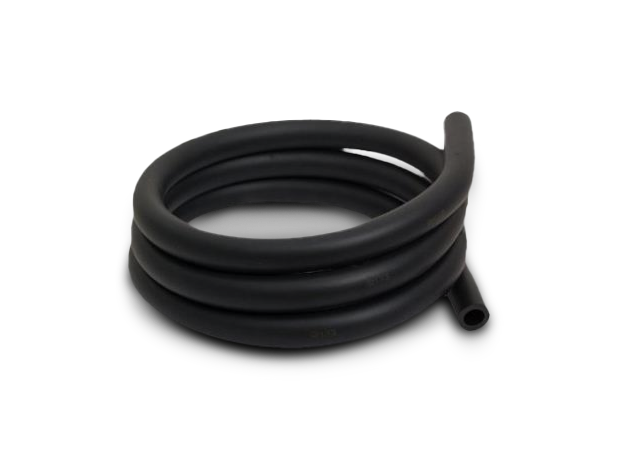
The tubing serves to connect the individual components in the water cooling loop. Tubing with a size of 13/10 mm (13 mm outer diameter, 10 mm inner diameter) is particularly common. A thicker hose, such as a 19/13 variant, primarily serves to enhance the system’s appearance. A thicker hose generally does not offer a higher flow rate, as the bottleneck in the circuit is almost always located elsewhere. Hoses from PrimoChill or EKWB (EK Water Blocks) offer very good quality. Transparent hoses are a good choice for beginners. Black rubber tubing falls into the mid-range category. While the coolant (especially colored coolant) is not visible in this case, these tubes offer greater durability and less flexibility. In this context, less flexibility is a positive feature, as it reduces the likelihood of kinks forming that could impede water flow.
The most complex, but also the best option, is so-called hard tubing. Here, rigid tubes are individually bent, allowing the water circuit to be designed with great precision. Due to materials such as PETG or metals like brass and copper, these tubes are extremely durable, and, logically, kinks cannot form, unlike with hoses. |
|
The Hose: Soft Tubing vs. Hard Tubing
The tubing serves to connect the individual components in the water cooling loop. Tubing with a size of 13/10 mm (13 mm outer diameter, 10 mm inner diameter) is particularly common. A thicker hose, such as a 19/13 variant, primarily serves to enhance the system’s appearance. A thicker hose generally does not offer a higher flow rate, as the bottleneck in the circuit is almost always located elsewhere. Hoses from PrimoChill or EKWB (EK Water Blocks) offer very good quality. Transparent hoses are a good choice for beginners. Black rubber tubing falls into the mid-range category. While the coolant (especially colored coolant) is not visible in this case, these tubes offer greater durability and less flexibility. In this context, less flexibility is a positive feature, as it reduces the likelihood of kinks forming that could impede water flow.
The most complex, but also the best option, is so-called hard tubing. Here, rigid tubes are individually bent, allowing the water circuit to be designed with great precision. Due to materials such as PETG or metals like brass and copper, these tubes are extremely durable, and, logically, kinks cannot form, unlike with hoses. |
 | The Connections: Connectors for the Individual Components
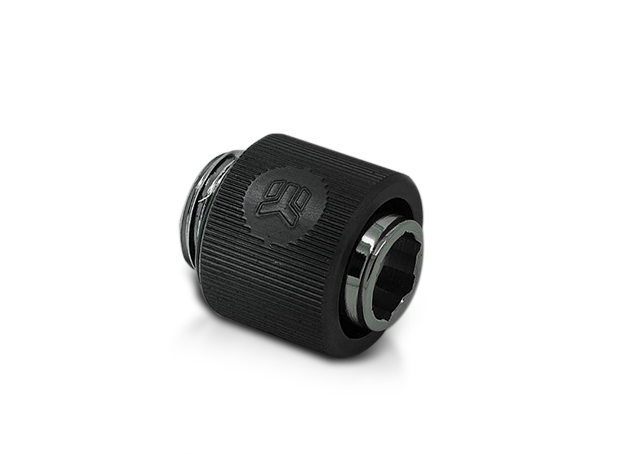
Special connectors are used to secure the hoses or tubes to the designated points on the water cooling components. Screw-on connectors have proven particularly effective, offering greater security compared to so-called quick-release connectors. Equipped with the right high-quality screw-on connectors, a water-cooled PC system remains completely leak-free over the long term. These fittings come in various shapes and colors, making them an important modding element. Thermaltake’s Pacific fittings feature RGB lighting and perfectly showcase transparent hoses or hard tubes filled with clear or white coolant. |
|
The Connections: Connectors for the Individual Components
Special connectors are used to secure the hoses or tubes to the designated points on the water cooling components. Screw-on connectors have proven particularly effective, offering greater security compared to so-called quick-release connectors. Equipped with the right high-quality screw-on connectors, a water-cooled PC system remains completely leak-free over the long term. These fittings come in various shapes and colors, making them an important modding element. Thermaltake’s Pacific fittings feature RGB lighting and perfectly showcase transparent hoses or hard tubes filled with clear or white coolant. |
 | The coolant: the lifeblood of water cooling
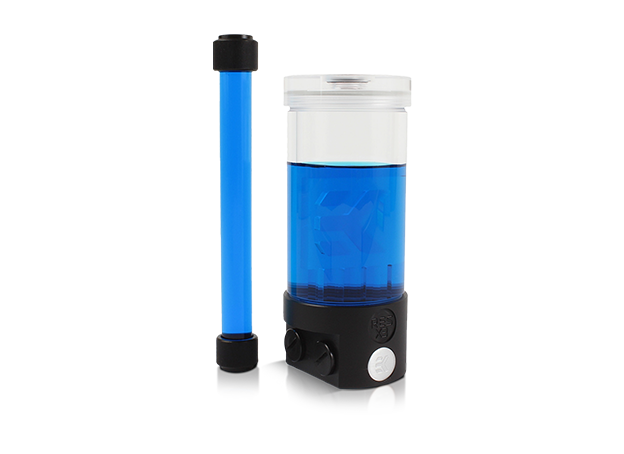
A water cooling system wouldn’t be a water cooling system without coolant. In this context, however, we must refer to coolant rather than water. While a water cooling system can indeed be operated with distilled water, modern coolants such as EK-Cryofuel from EKWB contain several important additives. For example, it contains corrosion protection so that metal components such as copper, aluminum, or steel do not tarnish or rust, as the fine fins in the water blocks could otherwise become clogged, thereby reducing cooling performance. It also contains biological inhibitors that prevent the growth of algae, for example. And last but not least, the coolant can add color to the system if desired, which looks especially great with transparent hoses or hard tubes. |
|
The coolant: the lifeblood of water cooling
A water cooling system wouldn’t be a water cooling system without coolant. In this context, however, we must refer to coolant rather than water. While a water cooling system can indeed be operated with distilled water, modern coolants such as EK-Cryofuel from EKWB contain several important additives. For example, it contains corrosion protection so that metal components such as copper, aluminum, or steel do not tarnish or rust, as the fine fins in the water blocks could otherwise become clogged, thereby reducing cooling performance. It also contains biological inhibitors that prevent the growth of algae, for example. And last but not least, the coolant can add color to the system if desired, which looks especially great with transparent hoses or hard tubes. |
What are the benefits of water cooling for a PC?
Water cooling in a PC offers several advantages at once:
- Excellent cooling of PC components
- Extended lifespan of individual components
- Direct heat dissipation to the outside – no heat buildup inside the PC
- significantly more headroom for overclocking
- Low noise levels even with overclocked high-end components
Water-cooled gaming and high-end PC systems in the MIFCOM Online Shop
As one of the few system integrators in Germany, we are deeply involved in the field of high-end PC water cooling and have already gained extensive experience in this area. The development of new water-cooled high-end PCs requires a professional approach, ranging from analyzing the challenges and developing a solution concept to complete implementation and subsequent testing in our own workshop.
The water cooling systems used in MIFCOM gaming and high-end PCs are assembled from selected individual components to meet the highest standards in terms of performance and noise levels, with system performance optimized accordingly. This is the only way to gain the advantage over various pre-built sets and OEM products: having a particularly powerful, very quiet, all-around high-quality, and fully customizable water cooling system in your PC. All components are among the quietest in their class, and the pump is mounted on the case with vibration isolation.
Your MIFCOM Team
What are the benefits of water cooling for a PC?
Water cooling in a PC offers several advantages at once:
- Excellent cooling of PC components
- Extended lifespan of individual components
- Direct heat dissipation to the outside – no heat buildup inside the PC
- significantly more headroom for overclocking
- Low noise levels even with overclocked high-end components
Water-cooled gaming and high-end PC systems in the MIFCOM Online Shop
As one of the few system integrators in Germany, we are deeply involved in the field of high-end PC water cooling and have already gained extensive experience in this area. The development of new water-cooled high-end PCs requires a professional approach, ranging from analyzing the challenges and developing a solution concept to complete implementation and subsequent testing in our own workshop.
The water cooling systems used in MIFCOM gaming and high-end PCs are assembled from selected individual components to meet the highest standards in terms of performance and noise levels, with system performance optimized accordingly. This is the only way to gain the advantage over various pre-built sets and OEM products: having a particularly powerful, very quiet, all-around high-quality, and fully customizable water cooling system in your PC. All components are among the quietest in their class, and the pump is mounted on the case with vibration isolation.
Your MIFCOM Team