
Discover our new Kick-Ass Systems
Gaming PC guide 2026
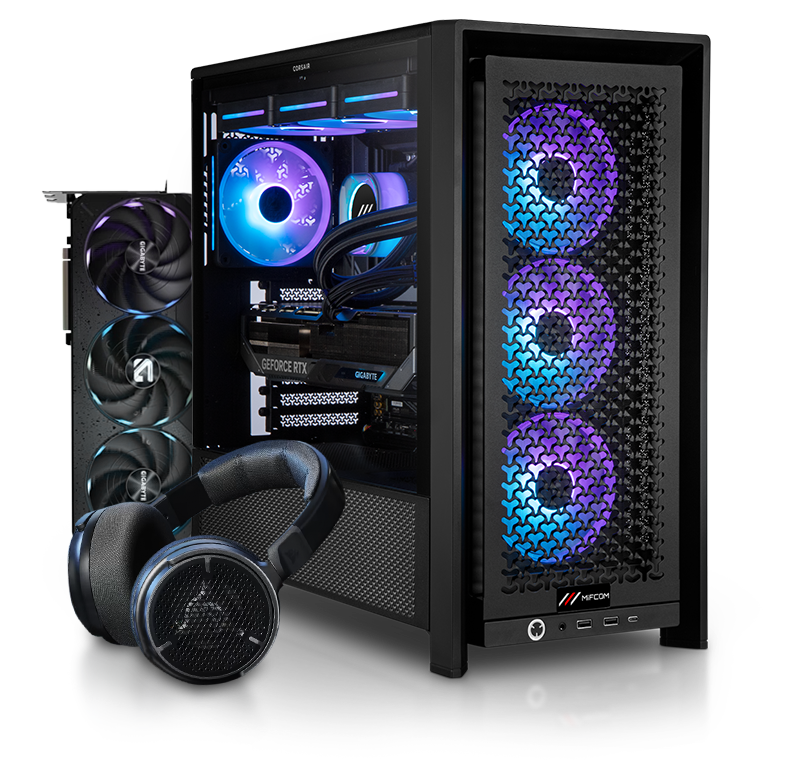 | Best Gaming PC of 2026 for Games and
Are you looking for a great gaming PC for 2026? Then you’ve come to the right place! The MIFCOM Gaming PC series is designed for demanding gamers and power users. Across every price range from around €600 to well over €3,000, we aim to provide the best possible configuration and optimal performance.
We ensure that configurations are as balanced as possible so that the processor performance matches the graphics card for gaming use. If you want to build your own gaming PC, you’ll definitely find the right options in this category. All base systems can be customized using the PC configurator, allowing you to buy exactly the right gaming PC from MIFCOM.
Beyond gaming, these PCs are also ideally suited for resource-intensive applications such as video editing, graphic design, and application development. |
|
Best Gaming PC of 2026 for Games and
Are you looking for a great gaming PC for 2026? Then you’ve come to the right place! The MIFCOM Gaming PC series is designed for demanding gamers and power users. Across every price range from around €600 to well over €3,000, we aim to provide the best possible configuration and optimal performance.
We ensure that configurations are as balanced as possible so that the processor performance matches the graphics card for gaming use. If you want to build your own gaming PC, you’ll definitely find the right options in this category. All base systems can be customized using the PC configurator, so you can buy exactly the right gaming PC at MIFCOM.
Beyond gaming, these PCs are also ideally suited for resource-intensive applications such as video editing, graphic design, and application development. |
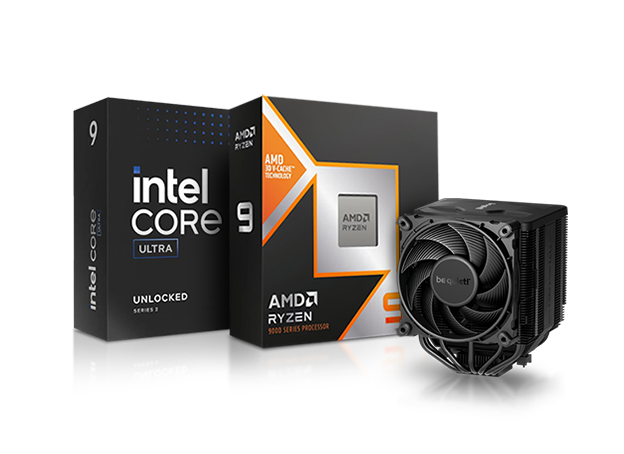 | Which processor and cooler do I need for gaming?
For a high-performance gaming PC in 2026, a fast, high-clocked hexa-core processor is often the bare minimum. Current games like Far Cry Primal or The Division already require a six-core processor, and many other titles with similar hardware requirements have now become the norm.
AMD or Intel: What is the better choice?Gamers can choose the foundation for their desired configuration from a total of four different processor generations. Technically, there are some differences between AMD and Intel: AMD Ryzen processors based on the AM4 socket have been available on the market for several years and are technically mature. Their advantages include a high number of CPU cores at an affordable price. AMD Ryzen 9000/7000 processors deliver maximum performance, the newer AM5 platform supports PCIe 5.0, DDR5, and other modern features. AMD’s X3D processors, with their larger cache, ensure exceptional gaming performance. Intel’s 14th Core generation also delivers outstanding performance, although it offers only moderate gains compared to the 13th generation. At the same time, however, it stands out with slightly higher efficiency and optimized clock speeds, without any major architectural changes.
Buyer’s Guide: Best Gaming CPUsThe best CPU depends on your budget. In the high-end segment for the best gaming performance, the Intel Core i7-14700K or AMD Ryzen 7 7800X3D/9800X3D form the perfect foundation. These processors stand out with extremely high performance in games, with Intel offering slightly more performance in many games here – particularly interesting for players with monitors that have higher refresh rates, such as 144Hz or even up to 300Hz. Ideal with a powerful graphics card like an RTX 5080 or RX 9070 XT. Maximum performance in games and at the same time in applications is delivered by the AMD Ryzen 9 7950X3D/9950X3D and Intel Core Ultra 9 285K with their many CPU cores. The upper-class segment for gaming PCs from 1,250 to 1,500 euros is shaped by the new AMD processors such as the Ryzen 7 7700X/9700X and Intel's Core i5 and i7 processors. Thanks to an unlocked multiplier, the Core i5-14600K is already suitable for overclocking attempts, but should be combined with a high-quality motherboard with an Intel Z790 chipset for this purpose. All AMD processors in the Ryzen series can also be overclocked; in this case, a high-quality motherboard with a B550 or B650/B850 chipset should also be selected – good CPU and case cooling is also an advantage for these endeavors. In the mid-range & entry-level segment, the AMD Ryzen 5 5600X/7600X and Intel Core i5-14400F processors form the entry point. The comparatively affordable processors can already be combined with powerful and VR-capable graphics cards such as the GeForce RTX 5060 or the RX 9060 XT and are therefore fully suitable for all current games in Full HD resolution (with reduced details even WQHD). Both processors offer sufficient performance for 60 FPS and beyond in all current games and can be recommended to demanding users without hesitation. General tip: with higher resolution, the CPU load hardly increases; this comes primarily at the expense of the graphics card. At higher resolutions, the graphics card is therefore usually the bottleneck, so a combination of an Intel Core i5 and RTX 4080 is quite plausible if, for example, 4K gaming at 60FPS is desired. However, if the highest possible FPS are aimed for or particularly CPU-heavy games are on the wishlist, a combination of a strong processor and a strong graphics card is ideal. A large portion of our customers, however, opts for balanced systems, ranging from entry-level CPU and entry-level GPU to high-end CPU and high-end GPU.
The right cooler for a gaming processor: Air cooling or AIO liquid cooling?The high performance of modern CPUs naturally results in equally high heat output, so cooling must be properly sized. Our configurator will always warn you if a selected cooler is too small. Generally, conventional cooling solutions can be divided into two categories: the classic tower cooler, in which heat is transferred via heat pipes to a large-surface heatsink with a fan mounted on top. The advantages of these solutions include an affordable price, easy installation, and quiet operation. Popular examples in this segment include the be quiet! Dark Rock Pro 5 and the Deepcool Assassin, which perfectly combine all three advantages.
Buyers Guide:In the €750 to €1,250 price range, the AMD Ryzen 5600X/7600X and Intel Core i5-14400F processors serve as entry-level options. These comparatively affordable processors can already be paired with powerful, VR-capable graphics cards such as the GeForce RTX 5060 or the RX 9060 XT, making them fully suitable for all current games at Full HD resolution (and even WQHD with reduced settings). Both processors offer sufficient performance for 60 FPS and beyond in modern games and can be recommended without hesitation, even for demanding users. The €1,250 to €1,500 price range is dominated by newer AMD processors such as the Ryzen 7 7700X/9700X and Intel’s Core i5 and i7 processors. Thanks to an unlocked multiplier, the Core i5-14600K is already suitable for overclocking attempts, but should be paired with a high-quality motherboard featuring an Intel Z790 chipset for this purpose. All AMD processors in the Ryzen series can also be overclocked; in this case as well, a high-quality motherboard with a B550 or B650/B850 chipset should be chosen—good CPU and case cooling is also beneficial for these projects. If the budget for the new gaming PC exceeds €1,500, the Intel Core i7-14700K or AMD Ryzen 7 7800X3D/9800X3D provide the perfect foundation. These processors deliver extremely high performance in games, with Intel offering slightly better performance in many titles—particularly appealing to gamers with monitors featuring higher refresh rates, such as 144Hz or even up to 300Hz. However, the selected graphics cards must be equally powerful. The AMD Ryzen 9 7950X3D/9950X3D and Intel Core Ultra 9 285K, with their many CPU cores, deliver maximum performance in both games and applications.
|
Recommendations for each budget:
| Gaming PC Price Range | Budget | Processor Recommendations |
| Up to 1,000 euros | up to 150 Euro | AMD Ryzen 5 5500/8400F or Intel Core i5-14400F/Ultra 5 225F |
| 1,000 to 1,500 euros | 150 - 250 Euro | AMD Ryzen 5 5600X/7600X/9600X or Intel Core i5-14600K/Ultra 5 245K |
| 1,500 to 2,000 euros | 200 - 350 Euro | AMD Ryzen 7 7700X/9700X or Intel Core i7-14700K/Ultra 7 265K |
| Starting at 2,000 euros | 250 - 400 Euro | AMD Ryzen 7 9700X/9800X3D/9850X3D or Intel Core i9-14900K/Ultra 9 285K |
|
Which processor and cooler do I need for gaming?
For a high-performance gaming PC in 2026, a fast, high-clocked hexa-core processor is often the bare minimum. Current games like Far Cry Primal or The Division already require a six-core processor, and many other titles with similar hardware requirements have now become the norm.
AMD or Intel: What is the better choice?Gamers can choose the foundation for their desired configuration from a total of four different processor generations. Technically, there are some differences between AMD and Intel: AMD Ryzen processors based on the AM4 socket have been available on the market for several years and are technically mature. Their advantages include a high number of CPU cores at an affordable price. AMD Ryzen 9000/7000 processors deliver maximum performance, the newer AM5 platform supports PCIe 5.0, DDR5, and other modern features. AMD’s X3D processors, with their larger cache, ensure exceptional gaming performance. Intel’s 14th Core generation also delivers outstanding performance, although it offers only moderate gains compared to the 13th generation. At the same time, however, it stands out with slightly higher efficiency and optimized clock speeds, without any major architectural changes.
Buyer’s Guide: Best Gaming CPUsThe best CPU depends on your budget. In the high-end segment for the best gaming performance, the Intel Core i7-14700K or AMD Ryzen 7 7800X3D/9800X3D form the perfect foundation. These processors stand out with extremely high performance in games, with Intel offering slightly more performance in many games here – particularly interesting for players with monitors that have higher refresh rates, such as 144Hz or even up to 300Hz. Ideal with a powerful graphics card like an RTX 5080 or RX 9070 XT. Maximum performance in games and at the same time in applications is delivered by the AMD Ryzen 9 7950X3D/9950X3D and Intel Core Ultra 9 285K with their many CPU cores. The upper-class segment for gaming PCs from 1,250 to 1,500 euros is shaped by the new AMD processors such as the Ryzen 7 7700X/9700X and Intel's Core i5 and i7 processors. Thanks to an unlocked multiplier, the Core i5-14600K is already suitable for overclocking attempts, but should be combined with a high-quality motherboard with an Intel Z790 chipset for this purpose. All AMD processors in the Ryzen series can also be overclocked; in this case, a high-quality motherboard with a B550 or B650/B850 chipset should also be selected – good CPU and case cooling is also an advantage for these endeavors. In the mid-range & entry-level segment, the AMD Ryzen 5 5600X/7600X and Intel Core i5-14400F processors form the entry point. The comparatively affordable processors can already be combined with powerful and VR-capable graphics cards such as the GeForce RTX 5060 or the RX 9060 XT and are therefore fully suitable for all current games in Full HD resolution (with reduced details even WQHD). Both processors offer sufficient performance for 60 FPS and beyond in all current games and can be recommended to demanding users without hesitation. General tip: with higher resolution, the CPU load hardly increases; this comes primarily at the expense of the graphics card. At higher resolutions, the graphics card is therefore usually the bottleneck, so a combination of an Intel Core i5 and RTX 4080 is quite plausible if, for example, 4K gaming at 60FPS is desired. However, if the highest possible FPS are aimed for or particularly CPU-heavy games are on the wishlist, a combination of a strong processor and a strong graphics card is ideal. A large portion of our customers, however, opts for balanced systems, ranging from entry-level CPU and entry-level GPU to high-end CPU and high-end GPU.
The right cooler for a gaming processor: Air cooling or AIO liquid cooling?The high performance of modern CPUs naturally results in equally high heat output, so cooling must be properly sized. Our configurator will always warn you if a selected cooler is too small. Generally, conventional cooling solutions can be divided into two categories: the classic tower cooler, in which heat is transferred via heat pipes to a large-surface heatsink with a fan mounted on top. The advantages of these solutions include an affordable price, easy installation, and quiet operation. Popular examples in this segment include the be quiet! Dark Rock Pro 5 and the Deepcool Assassin, which perfectly combine all three advantages.
How Many Case Fans Do I Need?For most gaming PCs, 3 to 4 case fans are sufficient to provide optimal airflow. A common setup is to place two intake fans at the front of the case and one or two exhaust fans at the rear and/or top.
|
Recommendations for each budget:
| Gaming PC Price Range | Budget | Processor Recommendations |
| Up to 1,000 euros | up to 150 Euro | AMD Ryzen 5 5500/8400F or Intel Core i5-14400F/Ultra 5 225F |
| 1,000 to 1,500 euros | 150 - 250 Euro | AMD Ryzen 5 5600X/7600X/9600X or Intel Core i5-14600K/Ultra 5 245K |
| 1,500 to 2,000 euros | 200 - 350 Euro | AMD Ryzen 7 7700X/9700X or Intel Core i7-14700K/Ultra 7 265K |
| Starting at 2,000 euros | 250 - 400 Euro | AMD Ryzen 7 9700X/9800X3D/9850X3D or Intel Core i9-14900K/Ultra 9 285K |
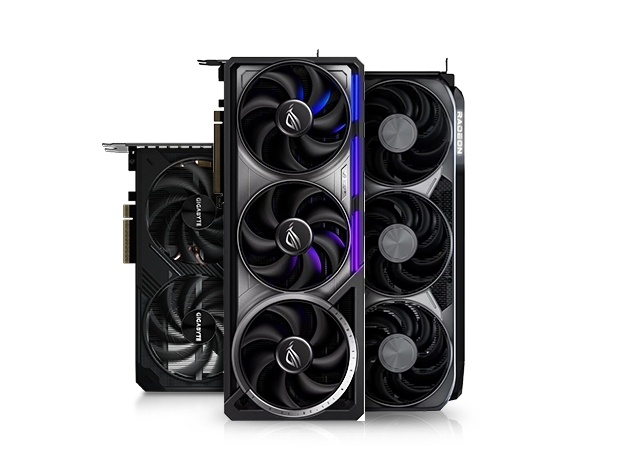 | Which Graphics Card for a good Gaming PC for 2026?
If you're building a new gaming PC in 2026, the best graphics card will primarily depend on your budget and the resolution you want to play at. Is Full HD enough, do you prefer WQHD (1440p), or are you looking for a 4K gaming PC?The demands on the graphics card are particularly high for gaming PCs. Enormous screen resolutions like 3820×2160 (4K gaming), as well as upcoming virtual reality (VR) games, are trending and place a heavy load on the graphics card. MIFCOM gaming PCs are equipped with gaming-ready graphics cards even in the entry-level range and offer the best components in their price classes—you won’t find any underpowered office graphics cards here that are designed to attract attention solely with an excessively large amount of graphics memory.
Graphics card generations: AMD or NVIDIA?AMD and NVIDIA offer an enormous selection with many graphics card models and various memory configurations, especially in the entry-level segment. As a general rule: both AMD and NVIDIA offer a wide selection of comparably efficient and comparably fast models with their current graphics cards; only in the high-end segment does NVIDIA currently offer corresponding graphics cards. In return, AMD impresses with a better price-performance ratio across many models. When it comes to graphics card drivers, both manufacturers score points with highly sophisticated features—the feature sets are also surprisingly similar, with AMD offering the Gaming Evolved app and NVIDIA offering GeForce Experience to cater to gamers. Generally, models from different manufacturers within the same GPU series (e.g., MSI RTX 5070 Gaming X Trio and Palit RTX 5070 Gaming Pro OC) differ mainly in terms of noise level, cooling performance, and aesthetics. However, when it comes to clock speeds and thus performance, there are usually only a few percentage points (<5%) between the individual models.
Buyers Guide for Graphics Cards:Even the price range up to 800–1,000 euros offers a wide selection of graphics card models. The GeForce RTX 5050 and the Radeon RX 9060 represent the affordable entry-level options. However, these already offer sufficient performance for casual gamers and eSports titles. They are ideal for Full HD and WQHD (1440p) gaming. In the 1,000 to 1,250 euro range, NVIDIA’s RTX 5060 models are already very powerful cards that enable gaming on 144Hz monitors or WQHD gaming in less demanding titles without breaking the budget. AMD counters in this segment with the AMD RX 9060 XT. In the €1,250 to €1,500 range, we continue to recommend the NVIDIA RTX 5060 (Ti); AMD offers the Radeon 9060 XT as its counterpart here. The RTX 5070 and RX 9700 provide sufficient performance for 144Hz Full HD gaming or WQHD, and depending on the title, even 144Hz gaming at this resolution. Starting at around 1,500 euros, the recommendations are the RTX 5070 (Ti) or 5080; AMD offers the RX 9070 (XT) in the absolute high-end segment. The RTX 5090, on the other hand, delivers even more performance than the 5080 (+30%), but is only available for over €2,000 and is therefore aimed at enthusiasts. However, the RTX 5090 is often the only card capable of smoothly running AAA titles in 4K or even 8K at high settings, or enabling WQHD 144Hz gaming in particularly demanding titles. With 32GB of video memory and a price tag exceeding €2,500, the RTX 5090 is, however, aimed more at prosumers who can also utilize the card’s performance for professional applications. |
Graphics Card Recommendations by Budget:
| Gaming PC Price Range | Graphics Card Recommendations |
| 700 to 1,250 euros | GeForce RTX 5060/5060 Ti 8GB or AMD RX 7600 (XT)/RX 9060 XT 8GB |
| $1,250 to $1,500 | GeForce RTX 5060 Ti 16GB or AMD RX 9060 XT 16GB |
| 1,500 euros and up | GeForce RTX 5070 (Ti) or RX 9070 (XT) |
| Starting at 2,000 euros | GeForce RTX 5080/5090 or AMD RX 9070 XT |
|
Which Graphics Card for a good Gaming PC for 2026?
If you're building a new gaming PC in 2026, the best graphics card will primarily depend on your budget and the resolution you want to play at. Is Full HD enough, do you prefer WQHD (1440p), or are you looking for a 4K gaming PC?The demands on the graphics card are particularly high for gaming PCs. Enormous screen resolutions like 3820×2160 (4K gaming), as well as upcoming virtual reality (VR) games, are trending and place a heavy load on the graphics card. MIFCOM gaming PCs are equipped with gaming-ready graphics cards even in the entry-level range and offer the best components in their price classes—you won’t find any underpowered office graphics cards here that are designed to attract attention solely with an excessively large amount of graphics memory.
Graphics card generations: AMD or NVIDIA?AMD and NVIDIA offer an enormous selection with many graphics card models and various memory configurations, especially in the entry-level segment. As a general rule: both AMD and NVIDIA offer a wide selection of comparably efficient and comparably fast models with their current graphics cards; only in the high-end segment does NVIDIA currently offer corresponding graphics cards. In return, AMD impresses with a better price-performance ratio across many models. When it comes to graphics card drivers, both manufacturers score points with highly sophisticated features—the feature sets are also surprisingly similar, with AMD offering the Gaming Evolved app and NVIDIA offering GeForce Experience to cater to gamers. Generally, models from different manufacturers within the same GPU series (e.g., MSI RTX 5070 Gaming X Trio and Palit RTX 5070 Gaming Pro OC) differ mainly in terms of noise level, cooling performance, and aesthetics. However, when it comes to clock speeds and thus performance, there are usually only a few percentage points (<5%) between the individual models.
Buyers Guide for Graphics Cards:Even the price range up to 800–1,000 euros offers a wide selection of graphics card models. The GeForce RTX 5050 and the Radeon RX 9060 represent the affordable entry-level options. However, these already offer sufficient performance for casual gamers and eSports titles. They are ideal for Full HD and WQHD (1440p) gaming. In the 1,000 to 1,250 euro range, NVIDIA’s RTX 5060 models are already very powerful cards that enable gaming on 144Hz monitors or WQHD gaming in less demanding titles without breaking the budget. AMD counters in this segment with the AMD RX 9060 XT. In the €1,250 to €1,500 range, we continue to recommend the NVIDIA RTX 5060 (Ti); AMD offers the Radeon 9060 XT as its counterpart here. The RTX 5070 and RX 9700 provide sufficient performance for 144Hz Full HD gaming or WQHD, and depending on the title, even 144Hz gaming at this resolution. Starting at around 1,500 euros, the recommendations are the RTX 5070 (Ti) or 5080; AMD offers the RX 9070 (XT) in the absolute high-end segment. The RTX 5090, on the other hand, delivers even more performance than the 5080 (+30%), but is only available for over €2,000 and is therefore aimed at enthusiasts. However, the RTX 5090 is often the only card capable of smoothly running AAA titles in 4K or even 8K at high settings, or enabling WQHD 144Hz gaming in particularly demanding titles. With 32GB of video memory and a price tag exceeding €2,500, the RTX 5090 is, however, aimed more at prosumers who can also utilize the card’s performance for professional applications. |
Graphics Card Recommendations by Budget:
Gaming PC Price Range | Graphics Card Recommendations |
Up to 700 euros | GeForce RTX 5060/5060 Ti 8GB or AMD RX 7600 (XT)/RX 9060 XT 8GB |
700 to 1,250 euros | GeForce RTX 5060 Ti 16GB or AMD RX 9060 XT 16GB |
$1,250 to $1,500 | GeForce RTX 5070 (Ti) or RX 9070 (XT) |
Starting at 1,500 euros | GeForce RTX 5080/5090 or AMD RX 9070 XT |
Starting at 2,000 euros | GeForce RTX 5060/5060 Ti 8GB or AMD RX 7600 (XT)/RX 9060 XT 8GB |
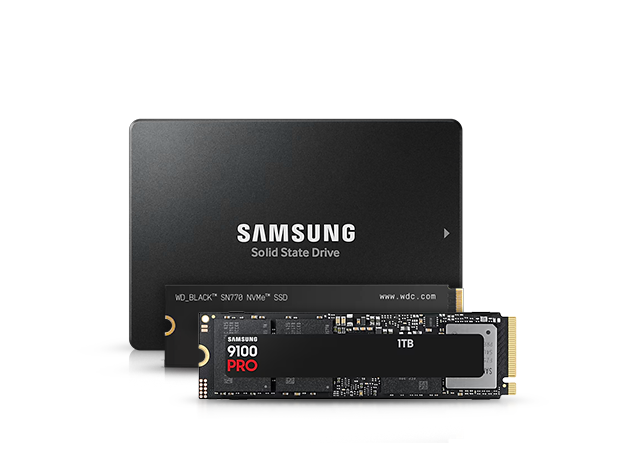 | Gaming PC SSD: Is It Worth the Investment?
SSD drives are a smart choice not just for gaming PCs: Compared to traditional hard drives (HDDs), data can be copied many times faster, and the system’s overall performance is significantly boosted. This is particularly noticeable when booting the operating system, and the loading times for everyday programs like browsers or email clients are reduced to a fraction of what they used to be. Gaming PCs also benefit from significantly shorter loading and save times for game sessions, and the reloading of graphical environment details is noticeably faster. A drawback is the relatively high price combined with comparatively low storage capacities.
MIFCOM SSDs:SSDs are now available in various form factors: The tried-and-true 2.5-inch SSDs can be installed in a PC case just like a conventional hard drive and feature a SATA connection. In addition to 2.5-inch models, SSDs are also offered in the so-called M.2 format—a type of plug-in card format that fits directly onto the motherboard. PCIe M.2 SSDs are particularly fast; they read and write many times faster than their SATA counterparts and now cost hardly any more. Access times—that is, how quickly a file can be accessed—also vary, but the differences are barely noticeable in practice. The latest platforms, such as Intel Z790/Z890 or AMD X870, are even ready for the fastest PCIe 5.0 SSDs. If an SSD is configured alongside a hard drive and an operating system, the latter is always installed on the fastest drive. Additional installation requests can also be entered in the order notes window.
Buyers Guide Gaming PC SSDs:Given the now very affordable prices, we only recommend systems with PCIe 4.0 SSDs. A 1TB model is the standard, but some games already require such large amounts of data that a second SSD or capacities starting at 2TB make sense. If our pre-configured systems do not meet your needs, you naturally have the option to upgrade any PC with your preferred storage solutions. Up to 8TB per M.2 PCIe SSD is currently possible.
Do I still need an HDD?HDDs are mainly useful today for storing large amounts of data, such as photos or backups, since they are very cost-effective. For operating systems and everyday applications, HDDs have largely been replaced by SSDs due to their significantly faster performance. |
|
Gaming PC SSD: Is It Worth the Investment?
SSD drives are a smart choice not just for gaming PCs: Compared to traditional hard drives (HDDs), data can be copied many times faster, and the system’s overall performance is significantly boosted. This is particularly noticeable when booting the operating system, and the loading times for everyday programs like browsers or email clients are reduced to a fraction of what they used to be. Gaming PCs also benefit from significantly shorter loading and save times for game sessions, and the reloading of graphical environment details is noticeably faster. A drawback is the relatively high price combined with comparatively low storage capacities.
MIFCOM SSDs:SSDs are now available in various form factors: The tried-and-true 2.5-inch SSDs can be installed in a PC case just like a conventional hard drive and feature a SATA connection. In addition to 2.5-inch models, SSDs are also offered in the so-called M.2 format—a type of plug-in card format that fits directly onto the motherboard. PCIe M.2 SSDs are particularly fast; they read and write many times faster than their SATA counterparts and now cost hardly any more. Access times—that is, how quickly a file can be accessed—also vary, but the differences are barely noticeable in practice. The latest platforms, such as Intel Z790/Z890 or AMD X870, are even ready for the fastest PCIe 5.0 SSDs. If an SSD is configured alongside a hard drive and an operating system, the latter is always installed on the fastest drive. Additional installation requests can also be entered in the order notes window.
Buyers Guide Gaming PC SSDs:Given the now very affordable prices, we only recommend systems with PCIe 4.0 SSDs. A 1TB model is the standard, but some games already require such large amounts of data that a second SSD or capacities starting at 2TB make sense. If our pre-configured systems do not meet your needs, you naturally have the option to upgrade any PC with your preferred storage solutions. Up to 8TB per M.2 PCIe SSD is currently possible.
Do I still need an HDD?HDDs are mainly useful today for storing large amounts of data, such as photos or backups, since they are very cost-effective. For operating systems and everyday applications, HDDs have largely been replaced by SSDs due to their significantly faster performance. |
 | Gaming PC RAM: Which RAM is the best?
RAM is an often-overlooked component in gaming PCs, yet there are several ways to optimize it with different clock speeds and manufacturers.
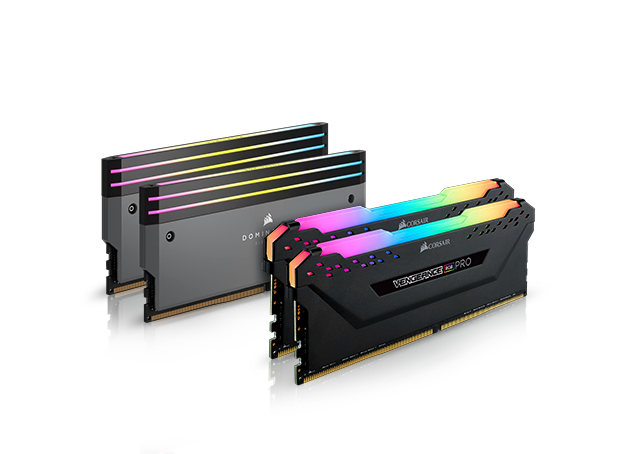
MIFCOM RAM: Due to the many different CPU configurations, there is a wide range of RAM modules available in the MIFCOM configurator. We offer affordable value RAM. These are modules with low clock speeds and no heat sinks at a low price. In addition, we rely on proven Corsair LPX RAM as well as our Corsair Vengeance RGB Pro modules with speeds up to 7800 MHz. At the top of the line are our Corsair Dominator RGB kits, which feature exceptionally high clock speeds, tight timings, and carefully selected memory chips. Meanwhile, DDR5 memory is also making its debut, offering further speed advantages over DDR4. AMD supports DDR5 on the AM5 platform with motherboards based on the B850 and X870 chipsets, as do Intel’s current Core Ultra CPUs with B860 and Z890 chipsets. Intel still offers a choice between DDR4 and DDR5 for its 14th-generation CPUs.
Buyers Guide RAM: How much RAM do I need? For gaming PCs, the following applies: generally, even the most affordable RAM modules are sufficient as long as they have sufficient capacity. 16GB of RAM is often insufficient these days; for gaming, we generally recommend 32GB of RAM for more demanding setups. However, there are differences in the details.
Which RAM Should I Buy? DDR5 and Speed Recommendations Both Intel processors and motherboards (e.g., Z790) as well as AMD counterparts (e.g., X870) are compatible with memory modules featuring high clock speeds and tight timings. And this definitely impacts performance: there can be a performance difference of up to 50% between DDR4-3200 MHz / DDR5-5600 MHz and overclocked RAM running at over 4400 MHz / 7800 MHz. However, this is usually very rare, as such an extreme limit can only be achieved artificially (e.g., when using an RTX 5090 and gaming at the lowest settings in 1280 × 720). In more realistic usage scenarios, e.g., Full HD at maximum settings, there is still a difference of approximately 20% between 2400 MHz and 4400 MHz.
However, the so-called principle of "diminishing returns" applies here: While performance does increase with higher clock speeds and better timings, the gain per additional clock cycle continues to decrease. As a sweet spot, we recommend 3000–3200 MHz or 6000–6400 MHz for DDR5 to enthusiasts and FPS hunters. This offers the best price-performance ratio. Between 3200 MHz/5600 MHz and 4400 MHz/7800 MHz or higher, there is usually only a 5% performance difference, but the systems typically run much more stably and allow for higher capacities, since extremely high-clocked RAM can often only be operated stably with two modules. |
|
Gaming PC RAM: Which RAM is the best?
RAM is an often-overlooked component in gaming PCs, yet there are several ways to optimize it with different clock speeds and manufacturers.
MIFCOM RAM: Due to the many different CPU configurations, there is a wide range of RAM modules available in the MIFCOM configurator. We offer affordable value RAM. These are modules with low clock speeds and no heat sinks at a low price. In addition, we rely on proven Corsair LPX RAM as well as our Corsair Vengeance RGB Pro modules with speeds up to 7800 MHz. At the top of the line are our Corsair Dominator RGB kits, which feature exceptionally high clock speeds, tight timings, and carefully selected memory chips. Meanwhile, DDR5 memory is also making its debut, offering further speed advantages over DDR4. AMD supports DDR5 on the AM5 platform with motherboards based on the B850 and X870 chipsets, as do Intel’s current Core Ultra CPUs with B860 and Z890 chipsets. Intel still offers a choice between DDR4 and DDR5 for its 14th-generation CPUs.
Buyers Guide RAM: How much RAM do I need?For gaming PCs, the following applies: generally, even the most affordable RAM modules are sufficient as long as they have sufficient capacity. 16GB of RAM is often insufficient these days; for gaming, we generally recommend 32GB of RAM for more demanding setups. However, there are differences in the details.
Which RAM Should I Buy? DDR5 and Speed Recommendations Both Intel processors and motherboards (e.g., Z790) as well as AMD counterparts (e.g., X870) are compatible with memory modules featuring high clock speeds and tight timings. And this definitely impacts performance: there can be a performance difference of up to 50% between DDR4-3200 MHz / DDR5-5600 MHz and overclocked RAM running at over 4400 MHz / 7800 MHz. However, this is usually very rare, as such an extreme limit can only be achieved artificially (e.g., when using an RTX 5090 and gaming at the lowest settings in 1280 × 720). In more realistic usage scenarios, e.g., Full HD at maximum settings, there is still a difference of approximately 20% between 2400 MHz and 4400 MHz.
However, the so-called principle of "diminishing returns" applies here: While performance does increase with higher clock speeds and better timings, the gain per additional clock cycle continues to decrease. As a sweet spot, we recommend 3000–3200 MHz or 6000–6400 MHz for DDR5 to enthusiasts and FPS hunters. This offers the best price-performance ratio. Between 3200 MHz/5600 MHz and 4400 MHz/7800 MHz or higher, there is usually only a 5% performance difference, but the systems typically run much more stably and allow for higher capacities, since extremely high-clocked RAM can often only be operated stably with two modules. |
 | Gaming PC Motherboard
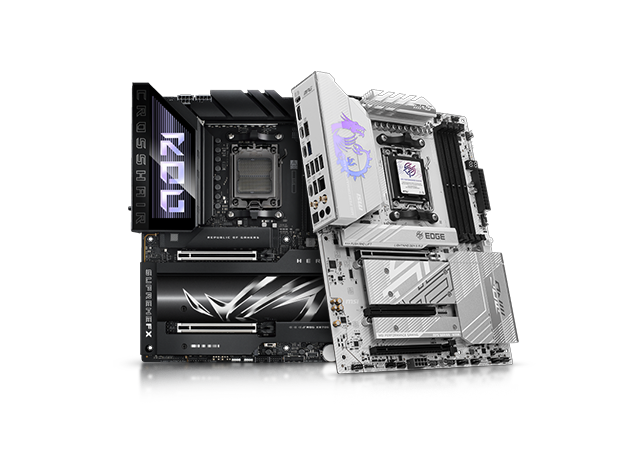
The motherboard forms the foundation of a balanced and stable gaming PC. In addition to extensive feature options, gaming motherboards also differ in terms of overclocking capabilities. To ensure optimal compatibility, MIFCOM gaming systems primarily feature motherboards from leading manufacturers such as ASUS, MSI, or Gigabyte.
MIFCOM motherboards:Motherboards differ not only in the number of feature options; system stability and suitability for CPU and RAM overclocking are also key criteria. Before a motherboard is listed in the MIFCOM configurator, it undergoes extensive compatibility testing. A key factor is compatibility with various RAM modules and M.2 SSDs; overclocking tests are also conducted. Only the highest-quality motherboards are subsequently approved for overclocking systems.
Buying Guide Motherboard:A suitable motherboard for a gaming PC should, especially when paired with powerful processors, feature heat sinks on the voltage regulators, as power from the power supply is fed through the motherboard to the CPU, generating waste heat due to conversion losses. Such motherboards ensure reliable cooling and, in addition to extending the lifespan of the processor and motherboard, also enable more stable and higher overclocking. AMD also allows overclocking on more affordable chipsets, such as the B550 or B650/B850, in combination with almost all CPUs. Intel, on the other hand, requires a motherboard with a Z-chipset (currently Z790/Z890) and a K-CPU. However, we still advise against overclocking on the most affordable models of both chipsets, as the voltage regulators and heat sinks are not designed for these increased loads. One advantage of the AMD Ryzen and Comet Lake generations is motherboards with very modern features. In most cases, these already feature USB-4 ports in the Type-C format and PCIe M.2 slots for particularly fast SSDs. USB 3.0 and one M.2 slot, however, are the minimum requirements for all motherboards offered in the configurator. Higher-end product lines, such as the MSI MEG Series or the ROG models from ASUS, offer not only improved overclocking options but also exclusive features like high-quality audio or networking solutions. |
|
Gaming PC Motherboard
The motherboard forms the foundation of a balanced and stable gaming PC. In addition to extensive feature options, gaming motherboards also differ in terms of overclocking capabilities. To ensure optimal compatibility, MIFCOM gaming systems primarily feature motherboards from leading manufacturers such as ASUS, MSI, or Gigabyte.
MIFCOM motherboards:Motherboards differ not only in the number of feature options; system stability and suitability for CPU and RAM overclocking are also key criteria. Before a motherboard is listed in the MIFCOM configurator, it undergoes extensive compatibility testing. A key factor is compatibility with various RAM modules and M.2 SSDs; overclocking tests are also conducted. Only the highest-quality motherboards are subsequently approved for overclocking systems.
Buying Guide Motherboard:A suitable motherboard for a gaming PC should, especially when paired with powerful processors, feature heat sinks on the voltage regulators, as power from the power supply is fed through the motherboard to the CPU, generating waste heat due to conversion losses. Such motherboards ensure reliable cooling and, in addition to extending the lifespan of the processor and motherboard, also enable more stable and higher overclocking. AMD also allows overclocking on more affordable chipsets, such as the B550 or B650/B850, in combination with almost all CPUs. Intel, on the other hand, requires a motherboard with a Z-chipset (currently Z790/Z890) and a K-CPU. However, we still advise against overclocking on the most affordable models of both chipsets, as the voltage regulators and heat sinks are not designed for these increased loads. One advantage of the AMD Ryzen and Comet Lake generations is motherboards with very modern features. In most cases, these already feature USB-4 ports in the Type-C format and PCIe M.2 slots for particularly fast SSDs. USB 3.0 and one M.2 slot, however, are the minimum requirements for all motherboards offered in the configurator. Higher-end product lines, such as the MSI MEG Series or the ROG models from ASUS, offer not only improved overclocking options but also exclusive features like high-quality audio or networking solutions. |
 | Gaming PC Power Supply: 750 W or 850 W?
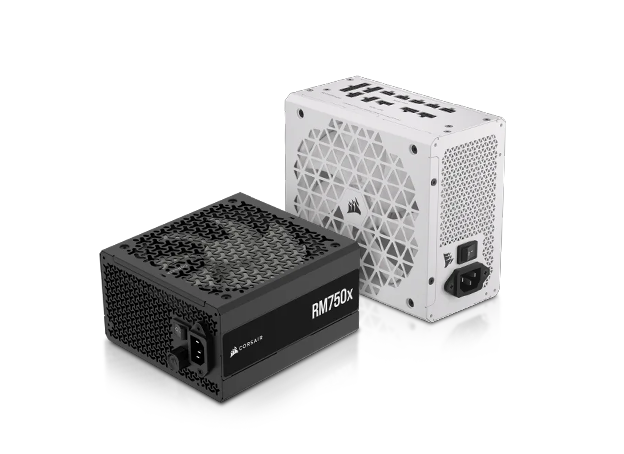
With the increased demand for efficient components and the increasingly aggressive power-saving mechanisms of processors and graphics cards, the power supply has become a fundamental component of a gaming PC. The required power supply wattage mainly depends on your graphics card. For most gaming PCs in 2026, a 750W or 850W power supply is the most sensible choice.
MIFCOM Power Supplies:All MIFCOM gaming PCs come with a three-year manufacturer’s warranty, which can be extended to up to five years upon request. To ensure a system operates flawlessly and without defects during this period, the power supplies must meet high standards that significantly exceed legal requirements. Unlike many no-name power supplies of dubious quality, even the affordable entry-level models in MIFCOM PCs come from well-known brands such as be quiet! and Corsair. All gaming power supplies meet the requirements of the latest EU Regulations No. 617/2013 and ErP Lot 6, which, among other things, regulate the minimum efficiency requirements for power supplies as well as their standby power consumption. In addition to the legal requirements, all MIFCOM power supplies are 80 Plus certified. This rating is assigned by manufacturers on a voluntary basis and can also be viewed as a general indicator of a power supply’s quality. MIFCOM verifies the manufacturers’ specifications through random sampling at an independent test laboratory using a Chroma 6000 test station. Another important component of a power supply is its protection features. All gaming power supplies are equipped with a full range of protection features, including short-circuit protection (SCP), overcurrent protection (OCP), and over-temperature protection (OTP). In extreme situations, the components in the gaming PC are thus optimally protected against external influences. It
Buyers Guide Power Supply:In addition to the technical specifications, it is particularly the features and functions that distinguish the different power supply series. The in-house MIFCOM power supplies offer an affordable entry point with at least 80 Plus Bronze certification and black cables. The Pure Power 13 series from be quiet! and the Corsair RM series also feature these details, and are additionally equipped with quieter fans and Gold efficiency. Above the entry-level power supplies, many series feature modular cable management, cable bundles that aren’t needed can simply be unplugged. All power supplies starting with the Corsair RMe Modular series have an 80 Plus Gold, Platinum, or Titanium efficiency rating. Starting with the be quiet! Pure Power, most power supplies from this manufacturer are silent-capable: be quiet! relies on a semi-passive cooling system, where the fan only spins when needed. Additionally, be quiet! ensures an inaudible noise level in the gaming PC with particularly quiet fans. For NVIDIA graphics cards starting with the RTX 5080, we recommend power supplies with at least 1000 W and ATX 3.1 support, ideally with native support for the new 16-pin power connector to avoid the need for additional adapters.
There is a guideline for the frequently discussed question of the optimal power rating for a power supply: As a general rule, there should always be some margin between the actual requirements of the gaming PC and the power supply’s capacity. This allows for the possibility of upgrading to more powerful components in the future; additionally, the power supply does not run at its limit under load, which has a positive effect on the noise level inside the PC and the power supply’s lifespan. |
Recommendations:
| Graphics Cards | Recommended power rating with a mid-range processor | Recommended performance class with a high-end processor |
| GeForce RTX 3050, RX 7600 | 400 watts | 400–500 watts |
| GeForce RTX 5060 (TI), RX 9060 XT | 500 watts | 600 watts |
| GeForce RTX 5070 (Ti), AMD RX 9070 (XT) | 750 watts | 850 watts |
| GeForce RTX 5080, RTX 5090 | 850–1000 watts | 1000–1200 watts |
|
Gaming PC Power Supply: 750 W or 850 W?
With the increased demand for efficient components and the increasingly aggressive power-saving mechanisms of processors and graphics cards, the power supply has become a fundamental component of a gaming PC. The required power supply wattage mainly depends on your graphics card. For most gaming PCs in 2026, a 750W or 850W power supply is the most sensible choice.
MIFCOM Power Supplies:All MIFCOM gaming PCs come with a three-year manufacturer’s warranty, which can be extended to up to five years upon request. To ensure a system operates flawlessly and without defects during this period, the power supplies must meet high standards that significantly exceed legal requirements. Unlike many no-name power supplies of dubious quality, even the affordable entry-level models in MIFCOM PCs come from well-known brands such as be quiet! and Corsair. All gaming power supplies meet the requirements of the latest EU Regulations No. 617/2013 and ErP Lot 6, which, among other things, regulate the minimum efficiency requirements for power supplies as well as their standby power consumption. In addition to the legal requirements, all MIFCOM power supplies are 80 Plus certified. This rating is assigned by manufacturers on a voluntary basis and can also be viewed as a general indicator of a power supply’s quality. MIFCOM verifies the manufacturers’ specifications through random sampling at an independent test laboratory using a Chroma 6000 test station. Another important component of a power supply is its protection features. All gaming power supplies are equipped with a full range of protection features, including short-circuit protection (SCP), overcurrent protection (OCP), and over-temperature protection (OTP). In extreme situations, the components in the gaming PC are thus optimally protected against external influences. It
Buyers Guide Power Supply:In addition to the technical specifications, it is particularly the features and functions that distinguish the different power supply series. The in-house MIFCOM power supplies offer an affordable entry point with at least 80 Plus Bronze certification and black cables. The Pure Power 13 series from be quiet! and the Corsair RM series also feature these details, and are additionally equipped with quieter fans and Gold efficiency. Above the entry-level power supplies, many series feature modular cable management—cable bundles that aren’t needed can simply be unplugged. All power supplies starting with the Corsair RMe Modular series have an 80 Plus Gold, Platinum, or Titanium efficiency rating. Starting with the be quiet! Pure Power, most power supplies from this manufacturer are silent-capable: be quiet! relies on a semi-passive cooling system, where the fan only spins when needed. Additionally, be quiet! ensures an inaudible noise level in the gaming PC with particularly quiet fans. For NVIDIA graphics cards starting with the RTX 5080, we recommend power supplies with at least 1000 W and ATX 3.1 support, ideally with native support for the new 16-pin power connector to avoid the need for additional adapters.
There is a guideline for the frequently discussed question of the optimal power rating for a power supply: As a general rule, there should always be some margin between the actual requirements of the gaming PC and the power supply’s capacity. This allows for the possibility of upgrading to more powerful components in the future; additionally, the power supply does not run at its limit under load, which has a positive effect on the noise level inside the PC and the power supply’s lifespan. |
Recommendations:
Graphics Cards | Recommended power rating | Recommended performance class |
GeForce RTX 3050, RX 7600 | 400 watts | 400–500 watts |
GeForce RTX 4060 (TI), RX 7700 XT | 500 watts | 600 watts |
GeForce RTX 5070 (Ti), AMD RX 9070 (XT) | 750 watts | 850 watts |
GeForce RTX 5080, RTX 5090 | 850–1000 watts | 1000–1200 watts |
 | Gaming PC Cases
Personal preference is the primary factor in choosing a case for a gaming PC. To meet the diverse needs of our customers, the Gaming PC Configurator offers a wide selection of models from various manufacturers. From affordable brand-name cases to sound-insulated versions with extra-quiet fans to high-quality premium cases.Tthere’s the perfect chassis for every MIFCOM gaming PC.
MIFCOM Cases:However, a gaming PC case should not only look good but must also be compatible with a wide range of different configurations. Versatile and quick installation options, along with quiet case cooling, are the key requirements before a case is listed in the gaming configurator. MIFCOM offers a unique selling point in the area of case fans: All gaming PCs are equipped with at least two fans to ensure smooth and quiet cooling, even if the case does not come with any fans from the factory. MIFCOM thus always guarantees you stable operation.
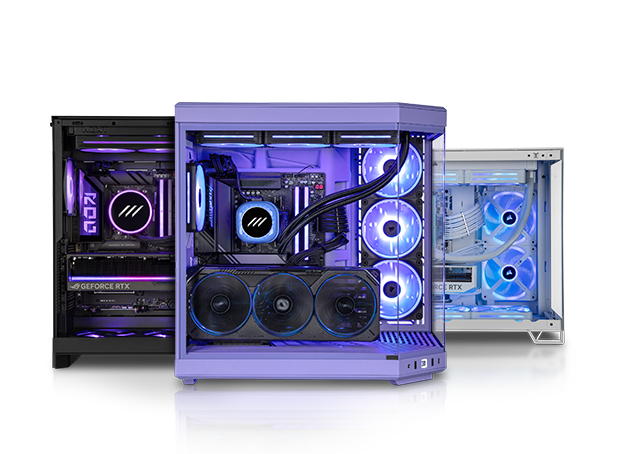
Buyers Guide Gaming PC Case: Endorfy cases offer an affordable entry point. These models already provide ample space for full-size ATX motherboards and graphics cards up to 310 mm in length. The generous space is complemented by numerous drive bays. Cooling is also impressive thanks to plenty of mounting points for case fans. The Endorfy 300 ARGB comes factory-equipped with a tempered glass side panel and four 120 mm ARGB fans. In addition, you’ll find the most popular (RGB) cases in our configurator for a fair upcharge, whether they’re more affordable options from Sharkoon, AeroCool, etc., or from premium manufacturers like Corsair, Lian-Li, or NZXT. Corsair offers a wide range of options, from fully glass-paneled RGB cases like the Corsair 4000D, 5000D, or 5000T to the perfect foundation for creator workstations with the Fractal Design North. NZXT offers stunningly understated design and high-quality craftsmanship for customers who prefer a particularly subtle aesthetic. The popular Lian Li Dynamic cases, on the other hand, promise exceptional visual opulence, showcasing your desired hardware in a particularly spectacular way and skillfully highlighting additional RGB fans. For gaming PCs optimized for low noise, sound-insulated cases are a suitable choice. The Fractal Design Define R7 stands out technically. In terms of build quality, features, and space, the Swedish manufacturer’s silent cases outperform even conventional cases without sound insulation in their price range, without causing significant thermal drawbacks. In addition, our configurator offers an extremely extensive selection of various cases, ranging from simple to eye-catching, and from budget to premium. |
|
Gaming PC Cases
Personal preference is the primary factor in choosing a case for a gaming PC. To meet the diverse needs of our customers, the Gaming PC Configurator offers a wide selection of models from various manufacturers. From affordable brand-name cases to sound-insulated versions with extra-quiet fans to high-quality premium cases. There’s the perfect chassis for every MIFCOM gaming PC.
MIFCOM Cases:However, a gaming PC case should not only look good but must also be compatible with a wide range of different configurations. Versatile and quick installation options, along with quiet case cooling, are the key requirements before a case is listed in the gaming configurator. MIFCOM offers a unique selling point in the area of case fans: All gaming PCs are equipped with at least two fans to ensure smooth and quiet cooling, even if the case does not come with any fans from the factory. MIFCOM thus always guarantees you stable operation.
Buyers Guide Gaming PC Case: Endorfy cases offer an affordable entry point. These models already provide ample space for full-size ATX motherboards and graphics cards up to 310 mm in length. The generous space is complemented by numerous drive bays. Cooling is also impressive thanks to plenty of mounting points for case fans. The Endorfy 300 ARGB comes factory-equipped with a tempered glass side panel and four 120 mm ARGB fans. In addition, you’ll find the most popular (RGB) cases in our configurator for a fair upcharge, whether they’re more affordable options from Sharkoon, AeroCool, etc., or from premium manufacturers like Corsair, Lian-Li, or NZXT. Corsair offers a wide range of options, from fully glass-paneled RGB cases like the Corsair 4000D, 5000D, or 5000T to the perfect foundation for creator workstations with the Fractal Design North. NZXT offers stunningly understated design and high-quality craftsmanship for customers who prefer a particularly subtle aesthetic. The popular Lian Li Dynamic cases, on the other hand, promise exceptional visual opulence, showcasing your desired hardware in a particularly spectacular way and skillfully highlighting additional RGB fans. For gaming PCs optimized for low noise, sound-insulated cases are a suitable choice. The Fractal Design Define R7 stands out technically. In terms of build quality, features, and space, the Swedish manufacturer’s silent cases outperform even conventional cases without sound insulation in their price range, without causing significant thermal drawbacks. In addition, our configurator offers an extremely extensive selection of various cases, ranging from simple to eye-catching, and from budget to premium. |
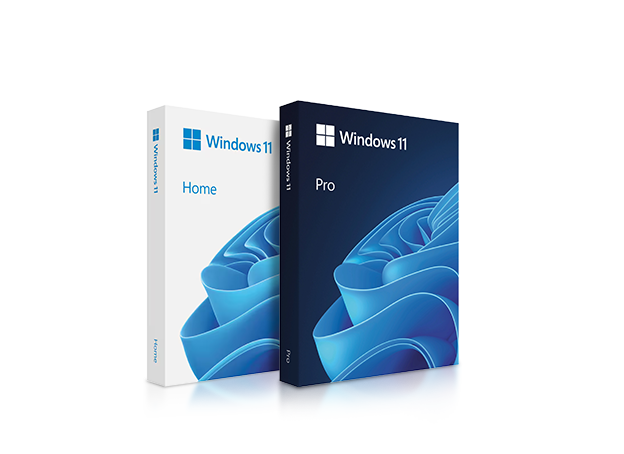 | Operating System for Gamers: Windows 11
Since the new Intel Alder Lake processors require Windows 11 exclusively, this is the only operating system available. The Home and Professional versions differ primarily in terms of maximum supported RAM and feature set.
Buying Guide:Generally speaking, the price range for these operating systems is the same, so your personal needs are the primary factor in choosing which one to buy. Windows 11 is the latest version of the Microsoft operating system. |
|
Operating System for Gamers: Windows 11
Since the new Intel Alder Lake processors require Windows 11 exclusively, this is the only operating system available. The Home and Professional versions differ primarily in terms of maximum supported RAM and feature set.
Buying Guide:Generally speaking, the price range for these operating systems is the same, so your personal needs are the primary factor in choosing which one to buy. Windows 11 is the latest version of the Microsoft operating system. |
Popular Gaming PC Sample Configurations from the Online Store
Listed below are the optimal gaming PC configurations across various price ranges. These configurations can be found in the Gaming PC category of the store. Of course, they can be customized to suit your preferences, whether that means more or less SSD storage, more affordable or higher-quality cases, better graphics card coolers from other manufacturers, etc.
| Gaming PC System So. AM4+ approx. €900 (without Windows) | Gaming PC System So. 1700 / AM5 approx. €1250–1500 (without Windows) | Gaming PC System Sun. 1700 / AM5 approx. €1500–2000 (without Windows) | |
| CPU: | AMD Ryzen 5 5600X | Intel Core i5 14600K / AMD Ryzen 5 9600X | Intel Core i7 14700K / AMD Ryzen 7 9700X |
| CPU cooler: | AMD boxed | be quiet! Dark Rock 5 | Corsair 240mm AiO |
| Motherboard: | AMD B550 | Intel Z790 / AMD B850 | Intel Z790 / AMD X870 |
| Graphics card: | NVIDIA RTX 5060 | NVIDIA RTX 5060 Ti 16GB / AMD RX 9060 XT 16GB | NVIDIA RTX 5070 12GB / AMD RX 9070 XT1 |
| RAM: | 16GB DDR4-3200 | 32GB DDR4-3200/DDR5-6000 | 32GB DDR5-6000 |
| Storage: | 1TB NVMe SSD | 1TB NVMe SSD | 2TB NVMe SSD |
| Power supply: | 650W MIFCOM Performance | 650W - be quiet! Pure Power 12 / Corsair RMe 750W | 750W - be quiet! Pure Power 13 / Corsair RMe 750W |
| Case: | Endorfy 300 ARGB | be quiet! Pure Base 501FX / Corsair Frame 4000D | NZXT H5 Flow, Lian Li Dynamic, Corsair 5000D Airflow |
Applications: | Entry-level gaming in Full HD resolution | Demanding gaming at Full HD resolution, WQHD | Demanding gaming in WQHD resolution, 144Hz Full HD gaming. 4K and VR-ready! |
| High-end gaming PC system So. 1700 / AM5 approx. €2800–3500 (without Windows) | High-end gaming PC system So. 1700 / AM5 approx. €3600 (without Windows) | |
| CPU: | Intel Core i9-14700K / AMD Ryzen 7 9800X3D | Intel Core i9-14900K / AMD Ryzen 9 9950X3D |
| CPU cooler: | Corsair 240mm AiO | Corsair 360mm AiO |
| Motherboard: | Intel Z790 / AMD X870 | Intel Z790 / AMD X870 |
| Graphics card: | NVIDIA GeForce RTX 5080 16GB | NVIDIA GeForce RTX 5090 32GB |
| RAM: | 48GB DDR5-6000 | 64GB DDR5-6400 |
| Storage: | 2TB NVMe SSD | 2TB NVMe SSD |
| Power supply: | 850W - be quiet! Pure Power 12 / Corsair RMe 850W | 1000W be quiet! Straight Power / Corsair RMx 1000W |
| Case: | NZXT H5 Flow, Lian Li Dynamic, Corsair 5000D Airflow | NZXT H7 Flow, Lian Li Dynamic, Corsair 5000T |
Applications: | Demanding gaming in 4K resolution, WQHD up to 144Hz. VR possible without restrictions! | Demanding gaming in 4K resolution + VR, WQHD up to 144Hz. Also perfectly suited for professional applications! |
Burn-in stress tests for MIFCOM gaming PCs
To ensure maximum reliability, MIFCOM gaming PCs must undergo special stress tests before being shipped to customers. These burn-in tests were developed in collaboration with AMD and NVIDIA, among others, to guarantee trouble-free operation even under the highest loads. Only after prolonged operation under maximum load (e.g., AVX loads on CPUs) are the gaming PCs released for quality control, which re-examines all components.
Configuration criteria and tips for a good gaming PC for different game types
Which PC is best for shooters / FPS action games and racing games?
For games in this category, a general rule of thumb is that high FPS requires both a powerful graphics card and a powerful processor. In these games, the goal is to consistently generate as many frames per second as possible. While mid-range hardware is often sufficient to achieve 60 FPS in Full HD or WQHD even at high settings, However, more and more gamers are opting for monitors with refresh rates higher than 60 Hz, which can easily push mid-range systems to their limits. As a solid foundation, we recommend configurations featuring an Intel Core i5 or AMD Ryzen 5 processor and an upper-mid-range graphics card, such as the NVIDIA RTX 5060 Ti or AMD RX 9060 XT, paired with 32GB of RAM and a fast SSD. This combination is sufficient in almost all cases for gaming in Full HD at over 60 FPS or WQHD at 60 FPS. However, no single title can be generalized. For select titles, we offer our Gaming Editions, where we’ve taken a closer look at popular titles. For example, a popular title like Counter-Strike: Global Offensive has entirely different (because significantly lower) hardware requirements than a current Call of Duty.
Which PC for MOBA and casual gaming?
Games in this category are usually less demanding in terms of hardware requirements. An affordable hexa-core processor is usually sufficient in most cases, as is 16 gigabytes of RAM. Entry-level graphics cards like the GeForce RTX 3050 or AMD RX 7600 are suitable for slightly reduced detail levels, but for future-proofing and higher demands, you should opt for at least a GeForce RTX 5060 or Radeon RX 9060 XT. An SSD has a particularly positive effect on load times, but for the best possible gaming experience, priority should be given to core components like the processor or graphics card. Some popular games, such as LoL or DotA, can even be played on the integrated graphics units of modern CPUs.
Which PC is best for RTS/strategy or MMO/multiplayer games?
With a high number of operations and units, these games primarily require a powerful processor. In addition to the minimum requirement of four cores, high performance per core is also necessary. Intel processors can particularly shine here, which is why at least an Intel Core i5 or a Ryzen CPU starting with the Ryzen 5 9600X is recommended for gaming PCs in this category. Depending on the title, a powerful graphics card may also be required; a popular example of this is Anno 1800. As usual, the RAM should be sized at 32GB. These games, some of which are very complex, also benefit from the use of an SSD.
Which Gaming PC Components Can Be Easily Upgraded Later?
The easiest components to upgrade in a gaming PC, even without extensive technical knowledge, are the memory (RAM), SSD storage, and the graphics card (GPU). These components are typically installed in slots and can usually be replaced with just a few simple steps.
Depending on your system, you can also upgrade or add case fans to improve airflow and achieve quieter cooling. This is often a simple and cost-effective way to enhance your PC's cooling performance and overall user experience.
Your MIFCOM Team
Popular Gaming PC Sample Configurations from the Online Store
Listed below are the optimal gaming PC configurations across various price ranges. These configurations can be found in the Gaming PC category of the store. Of course, they can be customized up or down as desired, whether that means more or less SSD storage, more affordable or higher-quality cases, better graphics card coolers from other manufacturers, etc.
| Gaming PC System So. AM4+ |
| CPU: | AMD Ryzen 5 5600X |
| CPU cooler: | AMD boxed |
| Motherboard: | AMD B550 |
| Graphics card: | NVIDIA RTX 3050 |
| RAM: | 16GB DDR4-3200 |
| Hard drive: | 1TB NVMe SSD |
| Power Supply: | 450W MIFCOM Performance |
| Power supply: | 450W MIFCOM Performance |
| Applications: | Entry-level gaming in Full HD resolution |
| Gaming PC System Sun. 1700 / AM5 |
| CPU: | Intel Core i5 14600K / AMD Ryzen 5 7600X |
| CPU cooler: | be quiet! Dark Rock 4 |
| Motherboard: | MSI B760 Pro / ASUS Prime B650 |
| Graphics card: | NVIDIA TX 4060 Ti, 8GB / AMD RX 6700 XT |
| RAM: | 32GB DDR4-3200 / DDR5-5600 |
| Hard drive: | 1TB NVMe SSD |
| Power Supply: | 650W be quiet! Pure Power 12 / Corsair RMe 750W |
| Power supply: | 650W - be quiet! Pure Power 12 / Corsair RMe 750W |
| Applications: | High-end gaming in Full HD resolution, WQHD |
| Gaming PC System Sun. 1700 / AM5 |
| CPU: | Intel Core i7 14700K / AMD Ryzen 7 7800X3D |
| CPU cooler: | Corsair 240mm AiO |
| Motherboard: | Gigabyte Z790 Aorus Elite / ASUS Strix B650-F |
| Graphics card: | NVIDIA RTX 4070 Super, 12GB / AMD RX 6800 16GB |
| RAM: | 32GB DDR4-3200 / DDR5-5600 |
| Hard drive: | 2TB NVMe SSD |
| Power Supply: | 750W - be quiet! Pure Power 12 / Corsair RMe v2 750W |
| Power supply: | 750W be quiet! Pure Power 12 / Corsair RMe v2 750W |
| Applications: | High-end gaming at WQHD resolution, 144Hz Full HD gaming. 4K and VR-ready |
| High-end gaming PC system: ~€1,700 / AM5: approx |
| CPU: | Intel Core i9-14700K / AMD Ryzen 9 7900X3D |
| CPU cooler: | Corsair 240mm AiO |
| Motherboard: | ASUS Strix Z790-F / MSI X670 Gaming Edge |
| Graphics card: | NVIDIA GeForce RTX 4080 12GB / AMD Radeon RX 7900 XT, 16GB |
| RAM: | 32GB DDR4-3200/DDR5-6000 |
| Storage: | 2TB NVMe SSD |
| Power Supply: | 850W - be quiet! Pure Power 12 / Corsair RMe v2 850W |
| Power supply: | NZXT H5 Flow, Lian Li Dynamic, Corsair 5000D Airflow |
| Applications: | Demanding gaming in 4K resolution, WQHD up to 144Hz. VR possible without restrictions! |
| High-end gaming PC system: So. 1700 / AM5 |
| CPU: | Intel Core i9-14900K AMD Ryzen 9 7950X3D |
| CPU cooler: | Corsair 360mm AiO |
| Motherboard: | MSI MAG Z790 ACE / ASUS ROG X670 Hero |
| Graphics card: | NVIDIA GeForce RTX 4090, 24GB / AMD Radeon RX 6900 XT, 16GB |
| RAM: | 32GB DDR4-3600/DDR5-6400 |
| Storage: | 2TB NVMe SSD |
| Power supply: | 1000W be quiet! Straight Power / Corsair RMx 1000W |
| Power supply: | NZXT H7 Flow, Lian Li Dynamic, Corsair 5000T |
| Applications: | Demanding gaming in 4K resolution + VR, WHQD up to 144Hz. Also perfectly suited for professional applications! |
Burn-in stress tests for MIFCOM gaming PCs
To ensure maximum reliability, MIFCOM gaming PCs must undergo special stress tests before being shipped to customers. These burn-in tests were developed in collaboration with AMD and NVIDIA, among others, to guarantee trouble-free operation even under the highest loads. Only after prolonged operation under maximum load (e.g., AVX loads on CPUs) are the gaming PCs released for quality control, which re-examines all components.
Configuration criteria and tips for a good gaming PC for different game types
Which PC is best for shooters / FPS action games and racing games?
For games in this category, a general rule of thumb is that high FPS requires both a powerful graphics card and a powerful processor. In these games, the goal is to consistently generate as many frames per second as possible. While mid-range hardware is often sufficient to achieve 60 FPS in Full HD or WQHD even at high settings, However, more and more gamers are opting for monitors with refresh rates higher than 60 Hz, which can easily push mid-range systems to their limits. As a solid foundation, we recommend configurations featuring an Intel Core i5 or AMD Ryzen 5 processor and an upper-mid-range graphics card, such as the NVIDIA RTX 5060 Ti or AMD RX 9060 XT, paired with 32GB of RAM and a fast SSD. This combination is sufficient in almost all cases for gaming in Full HD at over 60 FPS or WQHD at 60 FPS. However, no single title can be generalized. For select titles, we offer our Gaming Editions, where we’ve taken a closer look at popular titles. For example, a popular title like Counter-Strike: Global Offensive has entirely different (because significantly lower) hardware requirements than a current Call of Duty.
Which PC for MOBA and casual gaming?
Games in this category are usually less demanding in terms of hardware requirements. An affordable hexa-core processor is usually sufficient in most cases, as is 16 gigabytes of RAM. Entry-level graphics cards like the GeForce RTX 3050 or AMD RX 7600 are suitable for slightly reduced detail levels, but for future-proofing and higher demands, you should opt for at least a GeForce RTX 5060 or Radeon RX 9060 XT. An SSD has a particularly positive effect on load times, but for the best possible gaming experience, priority should be given to core components like the processor or graphics card. Some popular games, such as LoL or DotA, can even be played on the integrated graphics units of modern CPUs.
Which PC is best for RTS/strategy or MMO/multiplayer games?
With a high number of operations and units, these games primarily require a powerful processor. In addition to the minimum requirement of four cores, high performance per core is also necessary. Intel processors can particularly shine here, which is why at least an Intel Core i5 or a Ryzen CPU starting with the Ryzen 5 9600X is recommended for gaming PCs in this category. Depending on the title, a powerful graphics card may also be required; a popular example of this is Anno 1800. As usual, the RAM should be sized at 32GB. These games, some of which are very complex, also benefit from the use of an SSD.
Which Gaming PC Components Can Be Easily Upgraded Later?
The easiest components to upgrade in a gaming PC, even without extensive technical knowledge, are the memory (RAM), SSD storage, and the graphics card (GPU). These components are typically installed in slots and can usually be replaced with just a few simple steps.
Depending on your system, you can also upgrade or add case fans to improve airflow and achieve quieter cooling. This is often a simple and cost-effective way to enhance your PC's cooling performance and overall user experience.
Your MIFCOM Team