
Discover our new Kick-Ass Systems
PCs with SSD storage

Maximum Speed – Thanks to SSD
The key benefits, differences, and recommendations for gaming, workstations, and laptops.

The key benefits, differences, and recommendations for gaming, workstations, and laptops.
When it comes to a fast PC or laptop, SSDs are always part of the conversation. Solid-state drives are included as standard in almost all of our configurations because this storage medium offers numerous advantages. But what are they? And what exactly is an SSD?
 | What is an SSD?
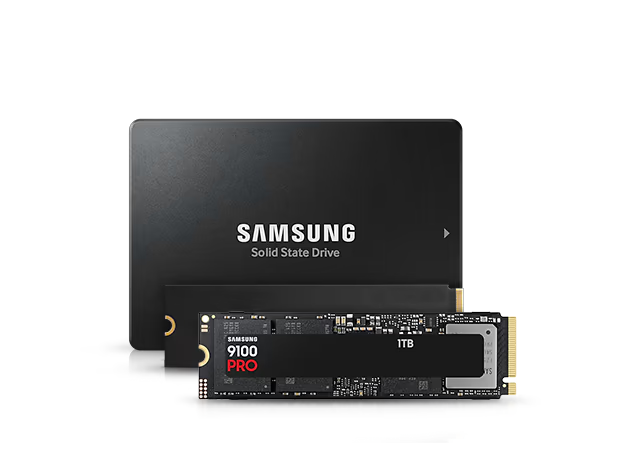
The abbreviation SSD stands for Solid State Drive. It is a storage medium similar to a hard drive. However, the way an HDD (“Hard Disk Drive”) and an SSD work is fundamentally different. As the word “disk” suggests, an HDD uses a magnetic disk to store data. An SSD, on the other hand, stores data on flash memory chips—the same type used in memory cards, USB drives, and smartphones. Because of how an SSD works, it offers many advantages over an HDD. We’ll explain these below. |
What advantages does an SSD offer compared to an HDD?
The absence of mechanical parts results in several advantages. An SSD is extremely fast because no read/write head needs to be moved. This results in a short response time and a high data transfer rate during read and write operations. Additionally, SSDs operate completely silently, making them suitable for installation in a silent system. Furthermore, the components are not subject to mechanical wear, ensuring a long service life.
Summary of the advantages of an SSD: | Why do laptops in particular benefit from an SSD?
There are even more advantages, especially for mobile devices like notebooks. Since a magnetic disk doesn’t need to be kept in constant motion, power consumption is reduced. This extends the laptop’s battery life accordingly. Heat generation is also reduced due to the low power consumption. SSDs are also resistant to shocks and vibrations. Last but not least, SSDs are also small and extremely lightweight. An M.2 module measures just 8 × 2.2 cm, is extremely thin, and weighs a mere 8 grams!
Additional advantages (ideal for mobile devices): |
 high data transfer rates (read & write),
When it comes to a fast PC or laptop, SSDs are always part of the conversation. Solid-state drives are included as standard in almost all of our configurations because this storage medium offers numerous advantages. But what are they? And what exactly is an SSD?
|
What is an SSD?
The abbreviation SSD stands for Solid State Drive. It is a storage medium similar to a hard drive. However, the way an HDD (“Hard Disk Drive”) and an SSD work is fundamentally different. As the word “disk” suggests, an HDD uses a magnetic disk to store data. An SSD, on the other hand, stores data on flash memory chips—the same type used in memory cards, USB drives, and smartphones. Because of how an SSD works, it offers many advantages over an HDD. We’ll explain these below.
|
What advantages does an SSD offer compared to an HDD?
The absence of mechanical parts results in several advantages. An SSD is extremely fast because no read/write head needs to be moved. This results in a short response time and a high data transfer rate during read and write operations. Additionally, SSDs operate completely silently, making them ideal for installation in a silent system. Furthermore, the components are not subject to mechanical wear, ensuring a long service life.
Summary of the
|
Why do laptops in particular benefit from an SSD?
There are even more advantages, especially for mobile devices like laptops. Since a magnetic disk doesn’t need to be kept in constant motion, power consumption is reduced. This extends the laptop’s battery life accordingly. Heat generation is also reduced due to the low power consumption. SSDs are also resistant to shocks and vibrations. Last but not least, SSDs are also small and extremely lightweight. An M.2 module measures just 8 × 2.2 cm, is extremely thin, and weighs a mere 8 grams!
Additional advantages
|
2.5-inch vs. M.2: SSD Form Factors and Connectors
Compared to a hard drive, an SSD is fast. But even here, there are different tiers and variations. At MIFCOM, you have a choice of 3 options when it comes to form factor or connection type. On the one hand, we offer SSDs in the 2.5-inch form factor, which connect to the motherboard via Serial ATA. Or M.2 SSDs, which connect directly to the motherboard via a special slot (similar to a RAM module). This SSD form factor supports both SATA and PCI-Express connections.
The form factor: 2.5-inch; M.2 SATA and M.2 PCIe
2.5-inch hard drives and SSDs are installed in the drive bay of a laptop or PC case. These days, every case has enough space for at least one SSD.
The M.2 slot(s) are located directly on the motherboard, require no cables, and function similarly to RAM slots. High-quality motherboards also feature heat sinks that cool the M.2 cards. But even without additional M.2 coolers, Samsung SSDs are protected from overheating thanks to Dynamic Thermal Guard. |
The Connection Type: SATA vs. PCI Express
An SSD is connected to the motherboard primarily via two types of interfaces. Option #1 is the “conventional” method via Serial ATA, or SATA for short. The maximum data transfer rate of SATA 3 is 6 Gbit/s, which corresponds to a theoretical read/write rate of 750 MB/s.
The connection via PCI-Express, however, is significantly faster. Here, the data transfer rate is a maximum of 32 Gbit/s, which in turn corresponds to up to 4 GB/s in theory. But be careful: There are also SSDs that, although they have the M.2 form factor, are still connected “only” via M.2-SATA instead of M.2-PCIe. The fastest SSDs are those connected via PCI-Express and using the NVMe data transfer protocol. This is the case, for example, with Samsung’s 960 Evo and Pro models. The fastest are SSDs connected via PCIe 4.0, such as the Samsung 980 Pro. |
SSDs have been established for some time now and are widely used. Consequently, the market has become quite confusing. We therefore recommend purchasing an SSD from Samsung:
2.5-inch vs. M.2: SSD Form Factors and Connectors
Compared to a hard drive, an SSD is fast. But even here, there are different tiers and variations. At MIFCOM, you have a choice of 3 options when it comes to form factor or connection type. On the one hand, we offer SSDs in the 2.5-inch form factor, which connect to the motherboard via Serial ATA. Or M.2 SSDs, which connect directly to the motherboard via a special slot (similar to a RAM module). This SSD form factor supports both SATA and PCI-Express connections.
The form factor:
2.5-inch hard drives and SSDs are installed in the drive bay of a laptop or PC case. These days, every case has enough space for at least one SSD.
The M.2 slot(s) are located directly on the motherboard, require no cables, and function similarly to RAM slots. High-quality motherboards also feature heat sinks that cool the M.2 cards. But even without additional M.2 coolers, Samsung SSDs are protected from overheating thanks to Dynamic Thermal Guard. |
The Connection Type:
An SSD is connected to the motherboard primarily via two types of interfaces. Option #1 is the “conventional” method via Serial ATA, or SATA for short. The maximum data transfer rate of SATA 3 is 6 Gbit/s, which corresponds to a theoretical read/write rate of 750 MB/s.
The connection via PCI-Express, however, is significantly faster. Here, the data transfer rate is a maximum of 32 Gbit/s, which in turn corresponds to up to 4 GB/s in theory. But be careful: There are also SSDs that, although they have the M.2 form factor, are still connected “only” via M.2-SATA instead of M.2-PCIe. The fastest SSDs are those connected via PCI-Express and using the NVMe data transfer protocol. This is the case, for example, with Samsung’s 960 Evo and Pro models. The fastest are SSDs connected via PCIe 4.0, such as the Samsung 980 Pro. |
SSDs have been established for some time now and are widely used. Consequently, the market has become quite confusing. We therefore recommend purchasing an SSD from Samsung:
Why should a Samsung SSD be your first choice?
Samsung is one of the few manufacturers that offers everything “under one roof.” Whether it’s controllers, chips, circuit boards, or firmware, Samsung manufactures everything in-house. This end-to-end production results in a well-rounded product that delivers the best performance and excellent value for money in its market segment. Additionally, Samsung continuously improves its products; one of the latest innovations is the 3D V-NAND chipset. Samsung SSDs are also equipped with the most advanced security technologies, ensuring your data is absolutely secure in the event of loss. These include 256-bit AES encryption, TGC Opal 2.0, and the IEEE1667 standard. All these features rightly make Samsung the most popular manufacturer of consumer SSDs on the market.
 Samsung SSD Magician Software | What additional features and tools does Samsung provide?
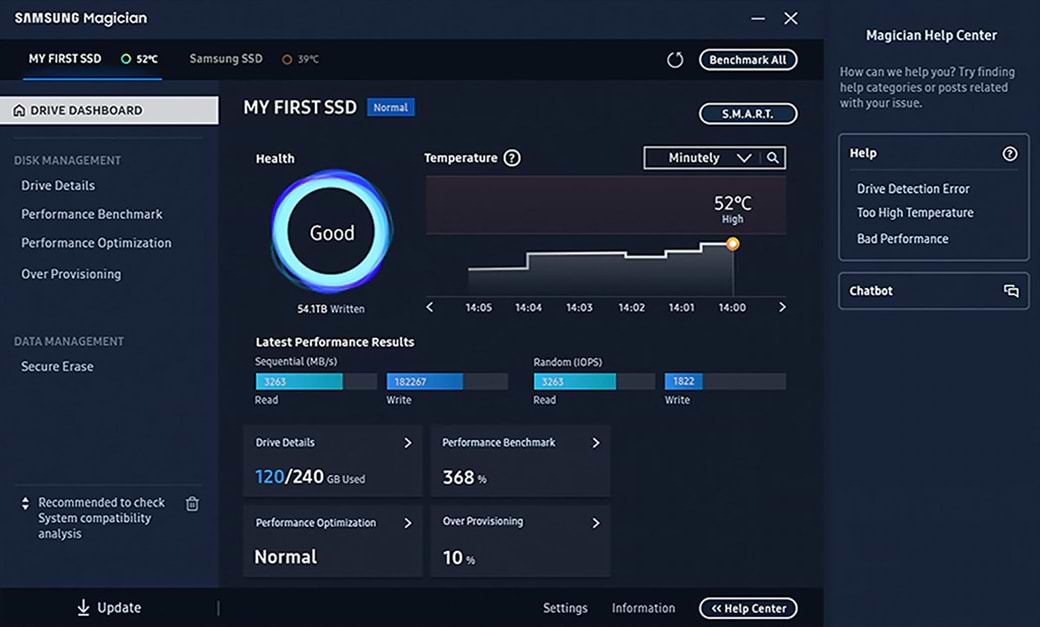
Samsung offers two free programs that are easy to use yet provide a wide range of features. With the SSD Migration Tool, transferring data from your existing system hard drive to the new SSD is a breeze. Once the SSD is up and running, it’s just as easy to monitor and optimize it using Samsung SSD Magician. Features include a performance benchmark, firmware updates, checking the drive’s lifespan, and RAPID Mode for SATA SSDs. |
Why should a Samsung SSD be your first choice?
Samsung is one of the few manufacturers that offers everything “under one roof.” Whether it’s controllers, chips, circuit boards, or firmware, Samsung manufactures everything in-house. This end-to-end production results in a well-rounded product that delivers the best performance and excellent value for money in its market segment. Additionally, Samsung continuously improves its products; one of the latest innovations is the 3D V-NAND chipset. Samsung SSDs are also equipped with the most advanced security technologies, ensuring your data is absolutely secure in the event of loss. These include 256-bit AES encryption, TGC Opal 2.0, and the IEEE1667 standard. All these features rightly make Samsung the most popular manufacturer of consumer SSDs on the market.
Samsung SSD Magician Software |
What additional features and tools does Samsung provide?
Samsung offers two free programs that are easy to use yet provide a wide range of features. With the SSD Migration Tool, transferring data from your existing system hard drive to the new SSD is a breeze. Once the SSD is up and running, it’s just as easy to monitor and optimize it using Samsung SSD Magician. Features include a performance benchmark, firmware updates, checking the drive’s lifespan, and RAPID Mode for SATA SSDs.
|
Which model is right for you?
In the overview below, you’ll find all the models you can have installed in your MIFCOM computer’s configuration. This includes a total of five models, two of which are SATA SSDs, while the remaining three are M.2 SSDs.
 | M.2 SSDs
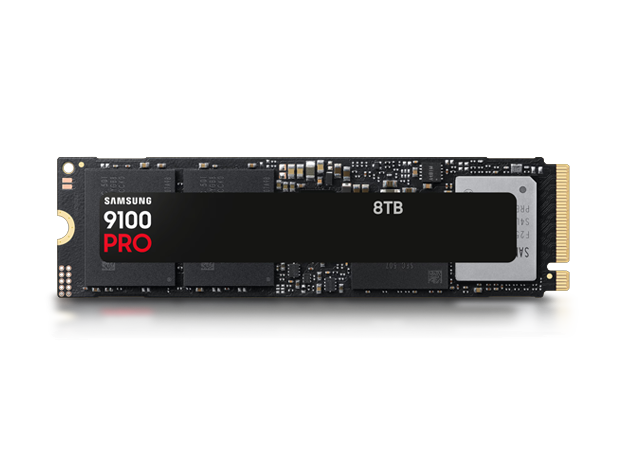
With M.2 SSDs, you have a wide selection of models to choose from. Here, too, the Samsung 860 Evo is the entry-level model. While this SSD uses the M.2 interface, it does not support connection via PCI-Express. The 970 and 980 series therefore offer faster data transfer speeds. The differences between the Evo and Pro models here are similar to those in the 860 series. The Pro model is slightly faster, but its high performance is also sustained for longer. Additionally, the storage capacity is higher on the largest model, and the warranty period is two years longer. |
 | SATA SSDs
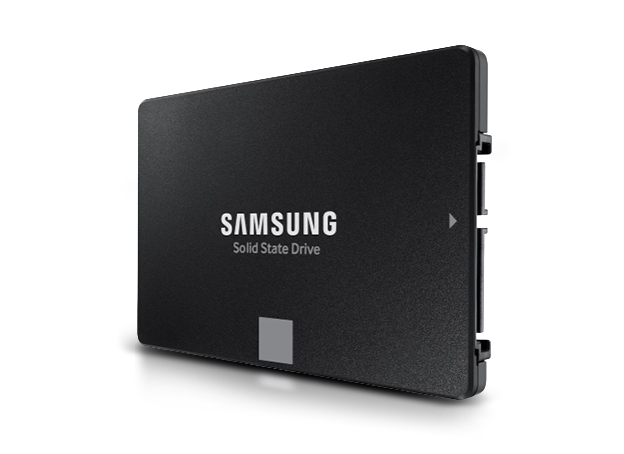
There are two models to choose from among the SATA SSDs. The Samsung 860 Evo is intended as an entry-level model for regular users, and Samsung offers a 5-year manufacturer’s warranty. While the Pro model differs only slightly in terms of read and write speeds, these speeds remain virtually constant even after prolonged use and heavy workloads. The Samsung 860 Pro is designed for professional users and power users, but even demanding users will find this model meets their needs. |
Samsung 990 Evo | Samsung 980 Evo | Samsung 990 Pro | Samsung 870 Evo | Samsung 870 Qvo | ||||||||
| Capacity | 1TB – 2TB | 250GB – 2TB | 1TB – 4TB | 250GB – 4TB | 1TB – 8TB | |||||||
| Connector | M.2 PCIe 4.0 | M.2 PCIe 4.0 | M.2 PCIe 4.0 | SATA 3 2.5" | SATA 3 2.5" | |||||||
| NVMe |
|
|
|
|
| |||||||
| Read | up to 5,000 MB/s | up to 7,000 MB/s | up to 7,450 MB/s | up to 560 MB/s | up to 560 MB/s | |||||||
| Write | up to 4,200 MB/s | up to 5,100 MB/s | up to 6,900 MB/s | up to 530 MB/s | up to 530 MB/s | |||||||
| Warranty | 5 years | 5 years | 5 years | 5 years | 5 years | |||||||
| AES FDE |
|
|
|
|
| |||||||
| TGC Opal |
|
|
|
|
| |||||||
| IEEE1667 |
|
|
|
|
| |||||||
| Migration Tool |
|
|
|
|
| |||||||
| Magician |
|
|
|
|
|
Which model is
right for you?
In the overview below, you’ll find all the models you can have installed in your MIFCOM computer’s configuration. This includes a total of five models, two of which are SATA SSDs, while the remaining three are M.2 SSDs.
|
M.2 SSDs
With M.2 SSDs, you have a wide selection of models to choose from. Here, too, the Samsung 860 Evo is the entry-level model. While this SSD uses the M.2 interface, it does not support connection via PCI-Express. The 970 and 980 series therefore offer faster data transfer speeds. The differences between the Evo and Pro models here are similar to those in the 860 series. The Pro model is slightly faster, but its high performance is also sustained for longer. Additionally, the storage capacity is higher on the largest model, and the warranty period is two years longer. |
|
SATA SSDs
There are two models to choose from among the SATA SSDs. The Samsung 860 Evo is intended as an entry-level model for regular users, and Samsung offers a 5-year manufacturer’s warranty. While the Pro model differs only slightly in terms of read and write speeds, these speeds remain virtually constant even after prolonged use and heavy workloads. The Samsung 860 Pro is designed for professional users and power users, but even demanding users will find this model meets their needs. |
|
| Samsung 990 Evo |
Capacity |
| 1TB – 2TB |
Connector |
| M.2 PCIe 4.0 |
NVMe |
|
|
Read |
| up to 5,000 MB/s |
Write |
| up to 4,200 MB/s |
Warranty |
| 5 years |
AES FDE |
|
|
TGC Opal |
|
|
IEEE1667 |
|
|
Migration Tool |
|
|
Magician |
|
|
|
| Samsung 980 Evo |
Size |
| 250GB – 2TB |
Connection |
| M.2 PCIe 4.0 |
NVMe |
|  |
Read |
| up to 7,000 MB/s |
Write |
| up to 5,100 MB/s |
Warranty |
| 5 years |
AES FDE |
| |
TGC Opal |
| |
IEEE1667 |
| |
Migration Tool |
| |
Magician |
| |
|
| Samsung 990 Pro |
Size |
| 1TB – 4TB |
Connector |
| M.2 PCIe 4.0 |
NVMe |
| |
Read |
| up to 7,450 MB/s |
Write |
| up to 6,900 MB/s |
Warranty |
| 5 years |
AES FDE |
| |
TGC Opal |
| |
IEEE1667 |
|  |
Migration Tool |
| |
Magician |
| |
|
| Samsung 870 Evo |
Size |
| 250GB – 4TB |
Interface |
| SATA 3 2.5" |
NVMe |
| |
Read |
| up to 560 MB/s |
Write |
| up to 530 MB/s |
Warranty |
| 5 years |
AES FDE |
| |
TGC Opal |
| |
IEEE1667 |
| |
Migration Tool |
| |
Magician |
| |
|
| Samsung 870 Qvo |
Capacity |
| 1TB – 8TB |
Interface |
| SATA 3 2.5" |
NVMe |
| |
Read |
| up to 560 MB/s |
Write |
| up to 530 MB/s |
Warranty |
| 5 years |
AES FDE |
| |
TGC Opal |
| |
IEEE1667 |
| |
Migration Tool |
| |
Magician |
| |
 |  | |
How exactly do gamers benefit from an SSD?
Thanks to an SSD’s fast data transfer rates, games load extremely quickly. This is particularly advantageous when loading maps in multiplayer: You’re already getting started while others are still waiting! But processing other large files is also lightning-fast. Game highlights are recorded and saved in the background without you even noticing. Editing and rendering YouTube videos and Let’s Plays? No problem! Other general benefits include fast operating system boot times, silent operation, and low power consumption.
Benefits of an SSD for gaming enthusiasts: | What are the benefits for professional users?
When launching demanding programs such as Adobe Creative Cloud applications, many libraries need to be loaded, a process that is significantly accelerated with an SSD. But waiting times are also drastically reduced when closing programs and especially when saving large project files. And multitasking—that is, using multiple programs simultaneously—is no problem with an SSD. Other general benefits include fast operating system boot times, silent operation, and low power consumption.
Benefits of an SSD for workstation users: |
SSDs in an office or multimedia PC
You’re not a gamer or a professional user and are just looking for a “normal” PC? Even everyday office tasks and simple use cases are more enjoyable with an SSD! The PC boots up instantly, files are saved in a flash, and videos buffer faster. Everything on a PC has to do with files in one way or another. And anything involving files generally runs faster with an SSD. The larger the file, the more significant and noticeable the time savings.
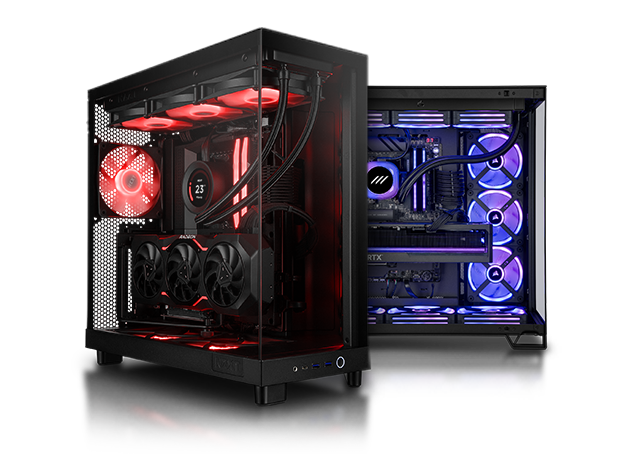
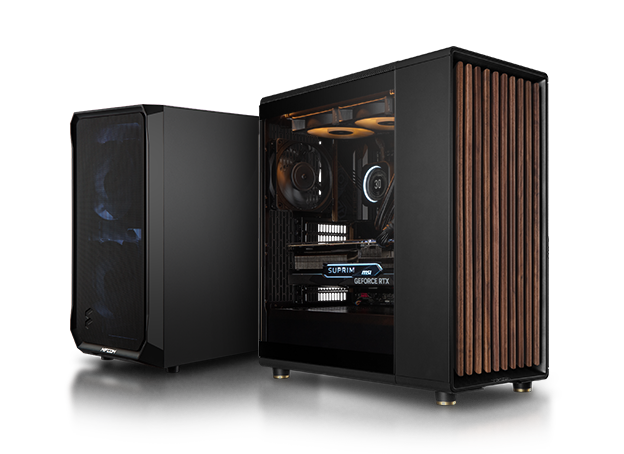
Configure and order a gaming PC with an SSD at MIFCOM:
So, should you equip your gaming PC with an SSD? We say yes! In our experience, it always makes sense to install an SSD.
Your MIFCOM Team
|
How exactly do gamers benefit from an SSD?
Thanks to an SSD’s fast data transfer rates, games load extremely quickly. This is particularly advantageous when loading maps in multiplayer: You’re already getting started while others are still waiting! But processing other large files is also lightning-fast. Game highlights are recorded and saved in the background without you even noticing. Editing and rendering YouTube videos and Let’s Plays? No problem! Other general benefits include fast operating system boot times, silent operation, and low power consumption.
Benefits of an SSD for gaming enthusiasts:
|
|
What are the benefits for professional users?
When launching demanding programs such as Adobe Creative Cloud applications, many libraries need to be loaded, a process that is significantly accelerated with an SSD. But waiting times are also drastically reduced when closing programs and especially when saving large project files. And multitasking—that is, using multiple programs simultaneously—is no problem with an SSD. Other general benefits include fast operating system boot times, silent operation, and low power consumption.
Benefits of an SSD for workstation users:
|
SSDs in an office or multimedia PC
You’re not a gamer or a professional user and are just looking for a “normal” PC? Even everyday office tasks and simple use cases are more enjoyable with an SSD! The PC boots up instantly, files are saved in a flash, and videos buffer faster. Everything on a PC has to do with files in one way or another. And anything involving files generally runs faster with an SSD. The larger the file, the more significant and noticeable the time savings.
Configure and order a gaming PC with an SSD at MIFCOM:
So, should you equip your gaming PC with an SSD? We say yes! In our experience, it always makes sense to install an SSD.
Your MIFCOM Team