

AI Training Workstations
Buy AI Training Workstations – Multi-GPU Workstations for Model Training
24.249
53.999
KI Training Workstations
1 - 4 of 4 Products
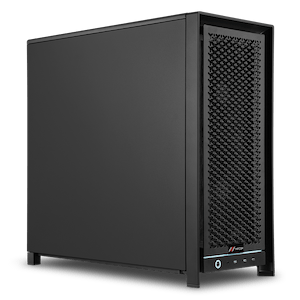
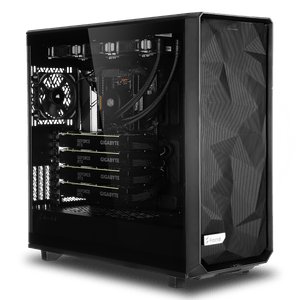
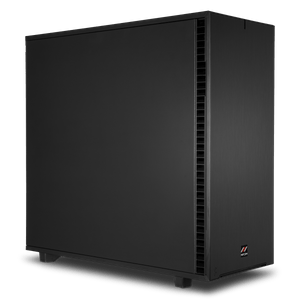
AI Training Workstations: Multi-GPU Performance for Your Own Models
With an AI training workstation from MIFCOM, you can train your own neural networks from scratch, right under your desk instead of in a data center. The systems are powered by the NVIDIA RTX PRO 6000 Blackwell with 96 GB of graphics memory per card and scale from a single GPU to a quad-GPU cluster with 384 GB of VRAM. You can configure each system component by component to suit your workload; every system is manufactured and tested in Germany.
Scaling with GPUs: Our Recommendations
During training, the number of GPUs determines the model size and training duration: More cards mean more shared graphics memory and parallel computing power, distributed across frameworks such as PyTorch DDP or DeepSpeed. An overview of our recommendations:
Our recommendations for AI training workstations:
| Workflow Focus | Workloads | Graphics Card | RAM |
| Single-GPU Model Training (up to 8B) | MRI/CT image data, compact niche LLMs | 1x NVIDIA RTX PRO 6000 Blackwell | 64GB |
| Dual-GPU Model Training (up to 32B) | Complex language models, advanced autonomous systems | 2x NVIDIA RTX PRO 6000 Blackwell | 128GB |
| Quad-GPU High-End Deep Learning (up to 70B+) | Very large multimodal networks, parallel training pipelines | 4x NVIDIA RTX PRO 6000 Blackwell | 128GB |
Built for days of continuous full-load operation
Training runs mean sustained load for hours or days. That’s why we design the cooling, power supply, and chassis airflow for multi-GPU operation and test every system under full load before shipment. This ensures your training runs smoothly without throttling due to thermal limits.
After Training: Run Models Locally
Once your model is fully trained, our Local LLM AI workstations take over productive operations—from internal chatbots to API integration with your applications.
Which AI training workstation is right for you?
Choose your system based on the model class you want to train, and if your ambitions grow, plan for expansion to additional GPUs right from the start. In the Workstation Configurator, you can customize your system to your specific needs. Or start with our AI workstations and compare the four usage profiles. Our AI PC buying guide explains in detail which hardware you need. Our AI PC buying guide explains in detail which hardware you need.