Local LLM AI Workstations

Starting November 2, our showroom's opening hours will change: Tuesday-Friday, 9:30 a.m.–5:30 p.m.
2.399
139.999


ACCELERATE
AI DEVELOPMENT
AI learning workstations with state-of-the-art hardware and
AI accelerators for fast deep learning.
ACCELERATE
AI DEVELOPMENT
AI learning workstations with state-of-the-art hardware and AI accelerators for fast deep learning.

High computing power for AI
Optimized for deep learning
Expandable & customizable
High computing power for AI
Optimized for deep learning
Expandable & customizable
1 - 24 of 41 Products
NEED HELP MAKING
A CHOICE?
Schedule an appointment with one of our
B2B consultants - it’s quick, free, and with no obligation.
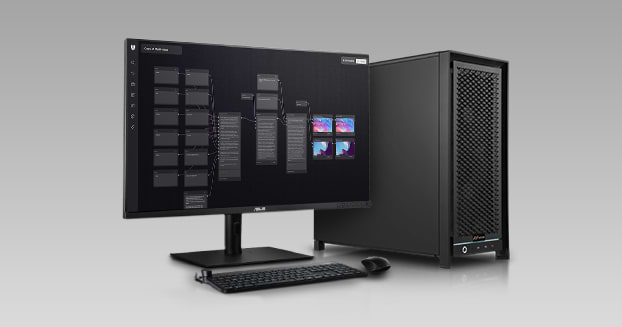
Local systems are increasingly replacing the cloud for AI workloads. This provides you with maximum data privacy, saves on ongoing API costs, and ensures extremely low latency. We build our AI workstations specifically to meet these requirements. You can flexibly adapt each model to your projects. We offer high-performance platforms from AMD and Intel as a foundation, as well as the new desktop AI supercomputers from NVIDIA. The individual configurations differ primarily in terms of the graphics cards installed, the accelerator superchips used, and the maximum RAM capacity.
If you want to run large language models such as Llama, Mistral, or DeepSeek directly on your own hardware, our Local LLM AI workstations are the right choice. Graphics memory is the key factor for smooth performance. As long as the desired model fits entirely within the VRAM, processing speed remains consistently high. With up to 96 GB of graphics memory per card, you can run even massive models in full compliance with data protection regulations. Your data never leaves your local network, and there are no unexpected fees.
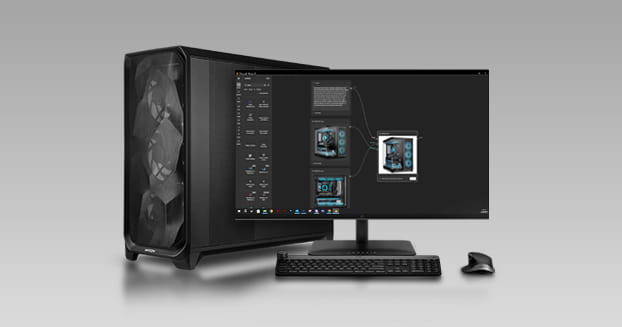
When working with Stable Diffusion, Flux, or ComfyUI, fast rendering speeds are crucial to your product’s success. Each AI image generation workstation is configured at our Munich location to deliver maximum graphics performance for this iterative process. You can quickly test different prompts, checkpoints, and parameters one after another. This ensures a smooth workflow where you can review your image adjustments immediately and don’t waste valuable time waiting in queues.
Creating high-resolution AI videos with models like Wan 2.2 or Hunyuan Video pushes your hardware to its limits. That’s why our AI video generation workstations not only feature ample graphics memory but also incorporate extremely fast CPUs and plenty of RAM. This is the only way to process the massive amounts of data from thousands of individual frames without any performance bottlenecks. These systems are designed for sustained full-load operation, ensuring that even long rendering and upscaling processes run without thermal throttling.
Our AI Development Workstations offer you the perfect balance of computing power and storage capacity for developing and fine-tuning AI models. You can refine existing architectures particularly efficiently using methods such as LoRA or QLoRA, without needing the massive resources of a dedicated training workstation. As a result, these systems bridge the gap between pure inference and the time-consuming process of building your own models from scratch.
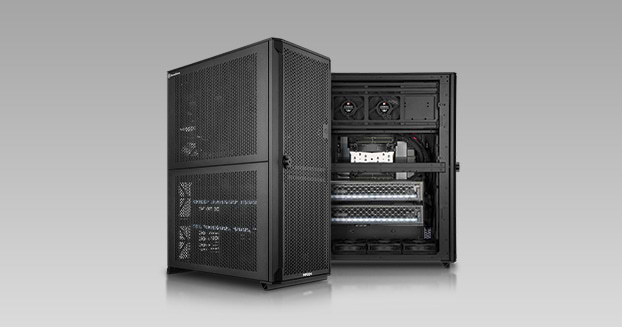
In addition to integrated Superchip systems, classic AI training workstations with support for multiple graphics cards provide a strong foundation. At the highest configuration level, multiple NVIDIA RTX PRO 6000 cards—each with 96 gigabytes of graphics memory—work together. This allows you to train your own neural networks from scratch and tackle complex optimizations that would simply overwhelm a single graphics card. The coupled accelerators efficiently share both the computational load and the available memory.
For developers, data scientists, and research teams who need high performance in a small footprint, the NVIDIA DGX Spark architecture provides the ideal foundation. Powered by the NVIDIA GB10 Grace Blackwell superchip, an NVIDIA DGX Spark-class system delivers a whopping 1 petaFLOP of AI computing power and 128 GB of coherent memory right to your desk. This allows you to locally prototype, fine-tune, and run modern language models as well as autonomous AI agents with up to 200 billion parameters. Together with the pre-installed NVIDIA AI software stack, NVIDIA DGX Spark seamlessly connects the local workstation with future scaling to the data center or the cloud.
Achieve the absolute pinnacle of performance for demanding development work with the NVIDIA DGX Station architecture. Equipped with the NVIDIA GB300 Grace Blackwell Ultra Superchip and a massive 748 GB of coherent memory, the NVIDIA DGX Station delivers up to 20 petaFLOPS of FP4 AI performance right to your workstation. A system based on the NVIDIA DGX Station was specifically designed for extremely heavy workloads and handles local training, fine-tuning, and real-time inference of massive models with up to trillions of parameters while maintaining full control over your data. Thanks to its integrated ConnectX SuperNIC network connectivity, the NVIDIA DGX Station fits seamlessly into existing data centers and modern AI clusters.
Choosing the right system depends primarily on your primary use case. Local LLM systems are ideal for the day-to-day operation of large language models. Workstations for image and video generation are perfectly tailored to creating graphics and animations. The development preconfigurations provide you with exactly the right environment for software development and targeted fine-tuning. With NVIDIA DGX Spark, you get compact petaFLOP power for prototyping and agentic AI right at your desk, while the NVIDIA DGX Station—the ultimate desktop supercomputer—processes massive enterprise models. Finally, classic training workstations handle the computationally intensive training of entirely custom models via linked multi-GPU setups.
In the Workstation Configurator, you can then build your ideal system down to the last detail. If you still have questions or need a personalized assessment, our AI PC buying guide will walk you through the process step by step to help you find the right computer. Alternatively, take a look at the general overview of our workstations and select your model directly based on your desired application.