

Audio Editing PCs
Buy a PC for Audio Editing – Optimized for Cubase, Ableton, and Logic Pro
1.849
2.249
PCs for Audio Editing
1 - 4 of 4 Products
What makes for the perfect PC for music production?
Unlike gaming PCs or graphics workstations, a PC for audio editing doesn’t rely on the graphics card, but rather on extremely stable interaction between the processor, motherboard, and drivers: Even the slightest delay in processing the audio signal can lead to audible crackles or glitches, known as dropouts. An optimized system prevents this and ensures that your DAW—such as Ableton Live, Cubase, Logic Pro, or FL Studio—runs smoothly.
The Right Processor for Your DAW
Every plugin, compressor, and synthesizer in your DAW requires real-time processing power while you’re recording or mixing. High single-core performance is therefore crucial for audio processing, because many plugins use only one core per track, and processing is only as fast as the slowest step in the chain. At the same time, having many cores ensures that you can process numerous tracks in parallel without one track having to wait for another. We rely on the latest Intel Core or AMD Ryzen processors, which offer exactly this balance of high clock speed and sufficient cores and can handle even complex projects with ease.
Why a PC for Audio Editing Must Be Quiet
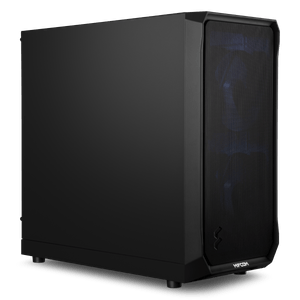
If you’re recording microphones directly into your PC, loud fan noise is your biggest enemy—a true PC for audio editing must be inaudible. In our audio systems, we use sound-insulated cases, highly efficient silent fans, and semi-passive power supplies that dissipate heat silently, ensuring your recordings remain pristine.
RAM for Your Sample Libraries
Anyone who works with large sample libraries like Kontakt, EastWest, or Spitfire Audio knows this: When you open a project, these instruments load their sound files—either completely or in large chunks—into RAM so they can be played back without any stuttering caused by reloading. The more tracks and instruments you have loaded at the same time, the more RAM you’ll need. For ambitious music production, we recommend at least 32 GB of RAM. If you’re working with professional film scores or large orchestral templates with many instruments loaded simultaneously, we’d be happy to configure your system with 64 or even 128 GB of RAM.
Low-Latency Connectivity
Your audio interface is connected to your PC via drivers, and how quickly these drivers respond to requests determines what’s known as DPC latency: the time it takes Windows to actually process a request from a device. If this response time is too long or fluctuates significantly, you’ll hear it as crackling or dropouts, even if the CPU and RAM actually have enough power. That’s why we specifically select our motherboards based on port variety and driver stability. Many of our audio configurations offer native Thunderbolt support or enough USB 3.2 ports for MIDI controllers, keyboards, and external DSP cards, such as those from Universal Audio.
Optimized for Cubase, Ableton, Pro Tools, and more
An off-the-shelf PC is often overloaded with bloatware that consumes resources in the background and can cause audio dropouts. At MIFCOM, we install a clean Windows system that’s specifically optimized for studio use, with extremely low DPC latency, allowing you to reduce the buffer size in your interface to a minimum.
Our recommendations for Cubase, Ableton, and Logic Pro:
| Processor | Graphics Card | RAM | |
| Audio Processing | AMD Ryzen 5 9600X Intel Core Ultra 5 250K Plus | NVIDIA RTX 5060 | 32GB |
| Professional Audio Editing | AMD Ryzen 7 9700X Intel Core Ultra 7 270K Plus | NVIDIA RTX 5060 Ti | 64GB |
The graphics card is intentionally kept modest: Since DAWs like Cubase, Ableton, and Logic Pro rarely use GPU-accelerated features, it makes more sense to allocate the budget here to the processor, RAM, and storage rather than to a more powerful graphics card.
Why Choose a MIFCOM PC for Audio Editing?
We specifically test our hardware configurations for their suitability in the audio field, give you complete freedom in the configurator to choose plenty of SSD storage for your samples, and provide you with a 3-year warranty and support so your production never comes to a standstill. Our audio systems are among the quietest on the market—we promise.
Do you also stream or add sound to your productions live? Then check out our streaming PCs.
You can find an overview of our entire Creator series for images, video, audio, and streaming under Creator PCs.
In the PC Configurator, you can customize your system to suit your individual needs.