

Synology NAS Systems
Buy a Synology NAS – Centralized Data Storage for Projects, Backups, and Teams
449
12.999
Synology NAS-Systeme
1 - 9 of 9 Products


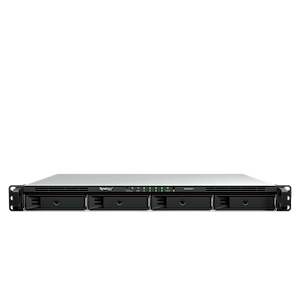
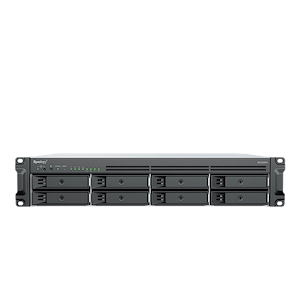
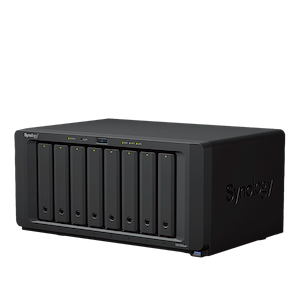
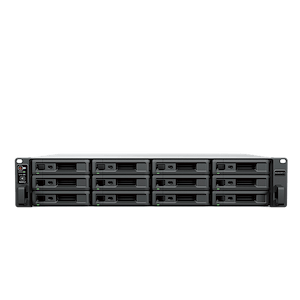
Synology NAS Systems - Automatic Backups and Data Protection
A Synology NAS (Network Attached Storage) is a centralized storage system on a network that makes hard drives or SSDs available to multiple workstations simultaneously. For workstation users, this solves three common problems: project data is stored in a central location rather than scattered across local computers, backups run automatically in the background, and teams can access the same data set without having to manually copy files. As part of our workstation technology highlights, Synology NAS systems at MIFCOM complement your workstation’s computing power with the right, highly available data storage.
What tasks a Synology NAS handles in everyday work
Every Synology NAS runs DiskStation Manager (DSM) as its operating system, which bundles a wide variety of services into a single user interface. Synology Drive seamlessly synchronizes files between the NAS, desktops, and mobile devices, keeping team collaboration up to date in real time. Active Backup for Business centrally backs up Windows PCs, servers, and virtual machines to the NAS—all without requiring additional licenses per device. Hyper Backup provides additional security by creating mirrors or backups to a second NAS, external USB storage, or the cloud. In addition, Synology Photos manages large media archives locally, offering a privacy-compliant alternative to public cloud services.
Why a NAS Alone Is Not a Data Backup Solution
A NAS is primarily a storage system and does not replace a complete backup, even if the data is redundantly backed up across multiple drives. A RAID array does protect against the failure of individual hard drives, as operations continue without data loss in the event of a failure. Synology Hybrid RAID (SHR) also offers the advantage of flexibly combining drives of different capacities and easily expanding storage later on.
However, RAID does not protect against accidental deletion, file corruption, or ransomware, since changes are written synchronously to all drives. This is where snapshots come in—they serve as time-based snapshots that allow you to restore previous file versions in a matter of seconds. If the entire device fails due to environmental factors, theft, or fire, the only solution is an external copy stored at a different location. This follows the proven 3-2-1 rule: three copies on two different types of media, one of which is stored off-site.
Which hardware features determine the performance of a Synology NAS
The transfer speed between the workstation and the NAS depends largely on the network connection:
- 1 GbE (Gigabit Ethernet): Achieves approximately 110 MB/s in practice. A 20 GB project file loads in just under three minutes.
- 2.5 GbE: Delivers about 280 MB/s.
- 10 GbE: Enables approximately 1,100 MB/s, completing the same data transfer in under 20 seconds.
Many models offer the option to retrofit 10 GbE network cards via PCIe slots, provided the switch and workstation are configured accordingly.
Equally important is the number of drive bays. Two bays mirror the hard drives (RAID 1), which means half of the raw capacity is dedicated to fault tolerance. Larger enclosures with four or more bays make more efficient use of storage space and can be scaled using optional expansion units. Integrated M.2 NVMe slots serve as an SSD cache to temporarily store frequently accessed data and noticeably speed up access to many small files. In professional models, ECC (Error-Correcting Code) RAM also ensures data integrity by automatically detecting and correcting transient bit errors in the RAM.
Which Drives Are Suitable for a Synology NAS
Hard drives in a NAS run continuously and are often in constant use. Standard desktop drives are generally unsuitable for this purpose; instead, NAS-certified drives are used, which are mechanically designed to withstand vibrations in multi-bay enclosures. Synology documents which hard drives and SSDs are approved for each model in device-specific compatibility lists to guarantee maximum stability during operation.
When Computing Power Is Needed Instead of Storage
A NAS stores, backs up, and distributes data. Computation-intensive workloads such as rendering, complex simulations, or video editing still run on the workstation itself. If you need additional performance here, our Performance Workstations offer tailor-made systems that can be seamlessly connected to the new data storage via the network.
We’re happy to provide personalized advice to agencies, businesses, and public institutions on suitable NAS solutions, storage architectures, and backup strategies. Our B2B team is here to assist you by phone or email.