

Storage Servers
Buy a Storage Server – High Storage Capacity with ECC RAM
7.999
9.449
Storage server
1 - 3 of 3 Products
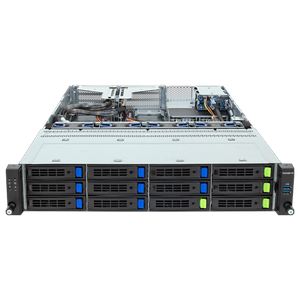
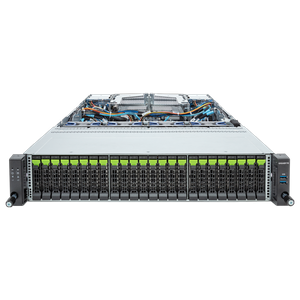
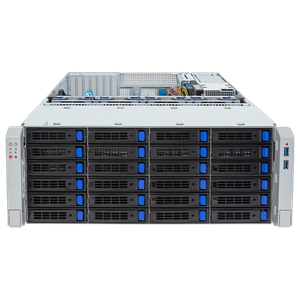
Storage Server - Server for the Largest Storage Configurations
Are you looking for the right storage solution for your business? You can configure our storage servers for DAS, NAS, or SAN use with ample capacity that scales with your data through hot-swappable drives. We’ve tested each component individually and validated it using our own benchmarks to offer you the right storage configuration for your specific use case.
DAS, NAS, or SAN: The Right Storage Architecture
Choosing the right storage solution depends largely on your budget and existing IT infrastructure. If you already have a SAN (Storage Area Network), this is the best solution in terms of performance and scalability, since multiple virtualized servers can jointly access the total available storage space. If this isn’t an option for cost reasons, we recommend internal hard drives in each individual server or externally connected hard drives, generally referred to as DAS (Directly Attached Storage). For small to medium-sized businesses, NAS (Network Attached Storage) solutions are also a good option, as they can be easily integrated into the existing infrastructure. If your primary concern is centralized, permission-controlled file storage for your team, our file server is the most straightforward solution.
Drives, RAID, and Redundancy
AMD EPYC and Intel Xeon processors are particularly well-suited for storage systems, as they support key server features such as ECC memory and virtualization. SATA hard drives from manufacturers such as Seagate and Western Digital continue to set the industry standard for storage configurations and are designed for 24/7 operation and high vibration tolerance. Enterprise SAS hard drives offer higher performance at up to 15,000 RPM but with lower capacity per drive, while all-flash solutions using SATA or SAS SSDs are vibration-resistant and offer significantly better performance at a higher price per gigabyte. A hybrid solution combining SSD cache and HDD mass storage brings together the best of both worlds.
The amount of RAM required depends heavily on the intended use: A small storage system with a 20 TB capacity performs well with just 16 GB of ECC RAM, whereas a virtualized solution with the same capacity may require at least 32 GB or more. Hot-swap capability is essential for quickly replacing components, and redundancy in the storage controllers prevents a single failure from blocking access to the entire system.
If your needs extend beyond pure storage capacity to include consolidated virtual machines, our virtualization servers continue the lineup; the Servers by Application category provides an overview.
Recommendations Based on Storage Requirements
| Storage Requirements | Drive Type | RAID Level | Recommendation |
| Up to 20 TB (NAS replacement) | SATA NAS hard drives | RAID 5 | 1U/2U, 16–32 GB ECC RAM |
| 20–100 TB | SAS hard drives or hybrid with SSD cache | RAID 6 | 2U, at least 32–64 GB ECC RAM |
| Over 100 TB / All-Flash | Enterprise SSDs | RAID 10 | 2U/4U, redundant storage controllers |
Configure Your Custom Storage Server
If you’re still deciding which server type is right for your needs, our server buying guide can help with specific recommendations tailored to your use case. Business customers and public institutions also benefit from dedicated account managers, quotes for RFPs, purchase on account, or leasing options. Have you lost track of the vast selection, or do you have specific requirements for your storage project? No problem—our sales team is here to help and will gladly advise you on any questions you may have! You can reach us by phone, email, or via live chat in our store. You’re also welcome to contact our B2B team.
In the Server Configurator, you can configure your system according to your individual preferences.