

1.949
4.199


Buy VR Workstations – Smooth Virtual Reality Performance
NEXT-LEVEL
IMMERSION
High-end processors and graphics cards for
maximum performance in VR projects.
NEXT-LEVEL
IMMERSION
High-end processors and graphics cards for maximum performance in VR projects

High frame rates & resolution
VR-optimized hardware
Smooth performance
High frame rates & resolution
VR-optimized hardware
Smooth performance
VR Workstations
1 - 7 of 7 Products
WORKSTATIONS FOR
EVERY WORKFLOW
MIFCOM workstations are the
perfect choice for demanding projects.
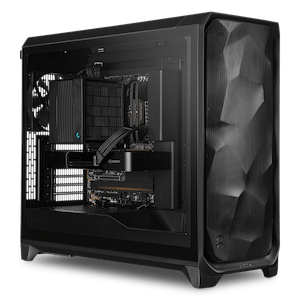
VR Workstations: Consistent Frame Rates for Immersive Projects
In virtual reality, consistently high frame rates and low latency make all the difference between immersion and discomfort: Every missed frame is immediately noticeable in the headset. Our VR workstations deliver the necessary performance with plenty of headroom—whether for developing VR content or for demanding visualizations in architecture and industry, ranging from walk-through building designs to virtual training.
The Right Processor: High Speed Per Core, More Cores for Development
For smooth playback of VR applications, the processor’s single-core performance is what matters most: the AMD Ryzen 7 9700X or the Ryzen 9 9900X are ideal for this. If the VR workstation is used to create VR content, the tools scale well with additional cores while maintaining a high clock speed: For this, we recommend processors from the Intel Xeon W-2500 series or the AMD Ryzen Threadripper 9000 series.
The Right Graphics Card: Matched to the Headset’s Resolution
The graphics card is the second performance-determining component, and its demands grow with the headset: Modern VR headsets render two high-resolution images simultaneously—one per eye—at refresh rates of 90 Hz and higher. To get started, we recommend at least an NVIDIA GeForce RTX 5060; those who use or develop applications at the highest quality with the latest high-resolution headsets should opt for the RTX 5080 or even the RTX 5090.
RAM and Storage
For VR applications, we recommend 32 GB of RAM as a standard to ensure that even demanding scenes and concurrently running tools remain smooth. If you’re developing VR content, configure 64 GB. This includes a fast NVMe SSD for the system and VR applications, supplemented by a second SSD or a large HDD for projects and assets.
Configured for Your VR Project
Each pre-configuration is a starting point that you can customize to match your headset, applications, and content. In the Workstation Configurator, you can customize your system to meet your specific needs. If you’re still deciding which CPU class and graphics card your project truly requires, our Workstation Buying Guide offers concrete recommendations tailored to each use case.
Do you develop your VR content in Unreal Engine or Unity? Our Game Development Workstations are tailored specifically for these engines. You can find an overview of all profiles under Workstations by Application.
Our Recommendations for VR Applications
VR Applications | |||
| Processor | Graphics Card | RAM | |
| Medium settings | AMD Ryzen 5 9600X Intel Core Ultra 5 245K | NVIDIA RTX 5060 | 32GB |
| High Details | AMD Ryzen 7 9700X Intel Core Ultra 7 265K | NVIDIA RTX 5070 | 32GB |
| Maximum Details | AMD Ryzen 9 9950X Intel Core Ultra 9 285K | NVIDIA RTX 5080 | 32GB |
| VR Development | AMD Ryzen TR PRO 7975WX | NVIDIA RTX 5090 | 64GB |
Custom-built, tested under full load for continuous operation
Every MIFCOM workstation is custom-built according to your configuration, featuring clean cable management for optimal airflow and quiet operation in your workspace. Before shipment, every system undergoes a stress test lasting several hours, during which the processor, graphics card, and RAM are tested together under full load. This ensures that your workstation runs stably even during continuous operation, throughout long VR sessions, presentations, and development cycles. We provide a 3-year warranty on all systems, including pick-up and return service, as well as lifetime support.
Architectural firms, industrial companies, and educational institutions also benefit from dedicated account managers, quotes for bids, purchase on account, or leasing options. Please contact our B2B team directly—by phone, email, or live chat.