

AI Image Generation Workstations
Buy AI Image Generation Workstations: Configure Your PC for Stable Diffusion, Flux.1, and ComfyUI
2.399
11.199

KI Bildgenerierung Workstations
1 - 6 of 6 Products
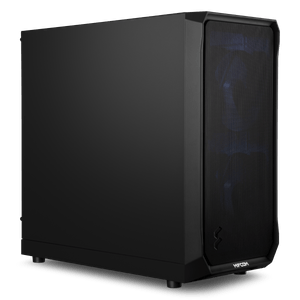
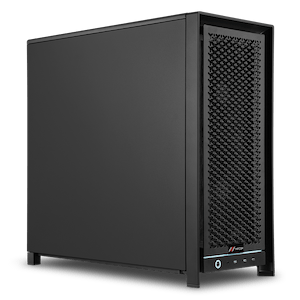
AI Workstation for Image Generation: GPU Performance for Stable Diffusion, Flux, and ComfyUI
With an AI PC for image generation from MIFCOM, you can create high-resolution images directly on your own hardware. This eliminates the need to wait in queues or purchase credits, and you no longer have to upload sensitive designs. Whether you’re looking for a PC for Stable Diffusion, need a PC for Flux, or use AI features in Photoshop, the graphics card determines how quickly you can test prompts or experiment with new models and parameters. You can build each system component by component to perfectly match your workflow.
Fast computation times: the GPU as the pacemaker of your creative work
Generative AI thrives on constant iteration. Simply put, more computing power means more variations in exactly the same amount of time. An AI image generation PC with large graphics memory also allows for significantly higher resolutions and much more complex workflows without the system having to fall back on slower RAM. Often, a single, extremely powerful GPU is all it takes to achieve impressive results in seconds.
Our recommendations for your AI workstation for image generation:
| Workflow Focus | Software / Models | Graphics Card | RAM |
| Getting Started with AI Image Generation | SD 1.5, Fooocus, Photoshop AI Filters | NVIDIA RTX 5070 (12GB VRAM) | 32GB |
| Semi-professional SDXL and Flux | SDXL, ComfyUI, Photoshop Generative Fill | NVIDIA RTX 5080 (16GB VRAM) | 32GB |
| Professional image editing | Complex ComfyUI workflows, inpainting | NVIDIA RTX 5090 (32GB VRAM) | 64GB |
From prompt to perfect masterpiece
Our AI workstations are specifically designed to automate creative tasks. Anyone looking for a dedicated PC for ComfyUI will benefit from the fact that even complex node workflows involving multiple models and ControlNets run smoothly on a single machine. Ultra-fast NVMe SSDs drastically reduce load times for large checkpoints and LoRAs, while ample RAM ensures that even the most extensive generation batches remain readily accessible at all times.
Workstations to replicate your style using AI
When you make the leap from static images to dynamic, AI-generated video worlds, hardware requirements increase exponentially. Our AI video generation workstations provide the perfect foundation for these particularly computationally intensive workflows. Creating smooth video sequences, performing complex frame interpolations, or working with local models such as Stable Video Diffusion requires vastly greater reserves of graphics memory (VRAM) and sustained, extreme computing power. That’s why these systems are specifically designed for maximum stability under sustained full load, ensuring that even hours-long rendering processes run without thermal throttling—so you can bring your creative visions to life without technical bottlenecks.
German Manufacturing and Top-Notch Service for Businesses
Every AI workstation for image generation is precision-engineered directly at our Munich facility and subjected to rigorous quality controls. Through this local production in Germany, we guarantee not only the highest build quality but also extremely fast response times for all service requests. Business customers also benefit from a dedicated point of contact from our German-speaking support team. This ensures that your system always operates with absolute reliability in the day-to-day operations of a professional agency or studio.
Which AI PC for image generation is right for you?
It’s best to choose your system based on the resolution and complexity of your workflows. For getting started, solid entry-level graphics cards are sufficient. For extensive SDXL pipelines, it’s worth opting for a powerful mid-range system, and if you’re looking for a no-compromise PC for Flux, an RTX 5090 is a must. In the Workstation Configurator, you can also build your system according to your individual preferences. Alternatively, start with the general overview of our AI workstations and simply navigate based on your specific use case. If you’re still unsure, our AI PC buying guide explains in detail what hardware you need for your project.