

Gaming PC Configurator
Configure your Gaming PC online for high FPS and AAA titles


Gaming PC Configurator
1 - 5 of 5 Products
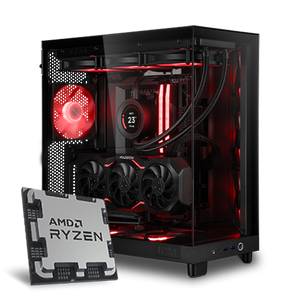
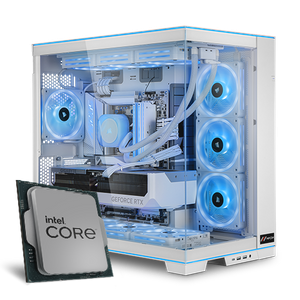
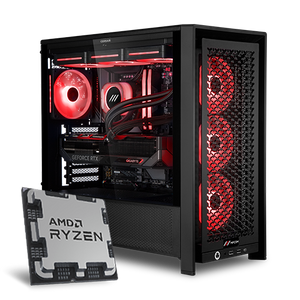
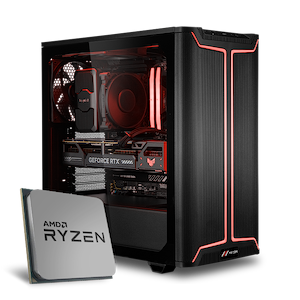
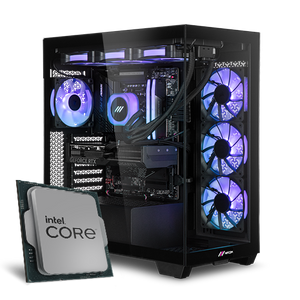
Build a Gaming PC for 2026: Use our Gaming PC Configurator with Compatibility Check
You can easily build your future MIFCOM gaming PC using our smart gaming PC configurator, and you can customize the solid base configurations to suit your needs. Using the configurator eliminates the tedious task of checking compatibility for each individual component. From the processor to the case to the power supply, we offer a comprehensive service to help you build your gaming PC.
Should you buy a pre-built PC or build your own gaming PC?
When buying a gaming PC, you’re generally faced with two options: buying a ready-made gaming PC as a complete package or building a PC yourself according to your preferences. Our pre-built and pre-configured systems have the advantage that you don’t have to worry about potential conflicts or incompatible components, and you get a well-rounded system that you can start using right away. Alternatively, you can use our configurators to build a system tailored specifically to your needs and individual preferences.
Building a Gaming PC: What Should a Gaming PC Have in 2026?
The classic gaming PC has a particularly significant advantage over other solutions: it is modular, meaning it can be adapted to your current needs and available budget. The most important feature a PC should have this year is the fast PCIe 5.0 interface—this benefits SSDs in particular, as well as future graphics cards. You should also look for support for features like ray tracing or DLSS.
How do I build a good gaming PC?
There’s rarely a “perfect” computer—but there is a complete package that best meets your needs. Here are some factors to consider:
What games do I want to play?
Many AAA titles, for example, benefit from both a fast graphics card and a fast processor. eSports titles, on the other hand, are often optimized to run smoothly on any hardware, so even budget components are often sufficient for a playable experience.
How many frames per second do I want in this game, and at what resolution?
Particularly fast-paced shooters benefit from exceptionally smooth frame rates; depending on the title, powerful hardware is required here. More laid-back games, such as base-building strategy games, are still playable even at lower frame rates. However, in all titles, the demands on the graphics card increase significantly with higher resolutions. You can find your favorite game in our Gaming Editions!
Do I want a particularly quiet PC?
If noise is a major concern, a soundproof, closed case without side windows is worth considering. However, the hardware may run slightly warmer and thus lose some performance, as the components help reduce temperatures. You’ll find suitable options in our Silent PC Configurator.
Do I want a visually impressive PC?
Appearance often plays a major role as well—when building your new computer, you should consider adding RGB fans and look for cases with one or more glass panels.
How big should the PC be?
The dimensions of the PC also matter. For example, if the PC is meant to sit on a desk or even be portable, you’ll find what you’re looking for in our Mini Gaming PCs or in the corresponding configurator.
What is my budget for this PC?
Last but not least, you’ll naturally need to keep your budget in mind. Here, we recommend reviewing your priorities. A visually stunning PC that relies on an older motherboard and a small CPU cooler, for example, makes future upgrades more difficult.
What should I look for when building a PC?
When configuring a gaming PC, the most important thing is choosing the right core components: the processor, graphics card, and RAM. You should avoid having one component slow down the others too much. For example, if you order a fast processor but a budget graphics card, the system will be slowed down by the graphics card in many games. But you also need to consider the “secondary factors,” such as sufficient storage space, and aspects like noise level and aesthetics can also be optimized and customized. Technical aspects are equally important, such as the dimensions of components—length, width, etc.—and our sophisticated configurator is here to help with plenty of guidance.
Which CPU do I need for a gaming PC: Intel or AMD?
The “brain” of your new gaming PC is the processor, which is either from AMD or Intel. This is largely responsible for the performance in your favorite games. Both AMD and Intel are fully suitable for gaming; at least 6 CPU cores are currently recommended. If you use professional applications in addition to gaming, AMD processors are particularly worthwhile thanks to a larger number of processing cores. For entry-level systems, the Intel Core i5-14400 and AMD Ryzen 5 9600X are suitable. Recommended all-rounders in the mid-range are the AMD Ryzen 7 9700X and 9800X3D, and the Intel Core i7-14700K, featuring 8 and 12 cores respectively, along with high clock speeds. In the high-end segment, the AMD Ryzen 9 9900X/9950X (X3D) and Intel Core i9-14900K offer the highest performance.
Choosing the right graphics card: the latest NVIDIA GeForce RTX and AMD Radeon RX graphics cards
If you want to build a gaming PC, you need to pay special attention to the graphics card. AMD and NVIDIA now offer nearly equivalent performance in this area. NVIDIA RTX graphics cards support additional features such as ray tracing and DLSS for enhanced visual effects. Recommended graphics cards for Full HD gaming include the NVIDIA RTX 5060 (Ti) or AMD Radeon RX 9060 XT. The mid-range options for demanding gamers are the NVIDIA RTX 5070 (Ti) or AMD Radeon RX 9070 (XT). For gaming in 4K or with exceptionally high FPS, the high-end NVIDIA RTX 5080 is ideal. Even 8K gaming is possible with graphics cards like the RTX 5090.
Which case and which coolers can I configure?
When it comes to coolers, we offer two options: air cooling or liquid cooling. The main advantage of proven air coolers is their lower price combined with high potential performance and reliability. All-in-one liquid cooling systems (AiOs) from our premium partners (e.g., Corsair) are also reliable for years and sometimes cool significantly better, though the price point is slightly higher. Additionally, AiOs often fit better visually into modern gaming PCs. In terms of noise levels, both solutions are often comparable depending on optimization.
When it comes to the case, personal taste is often the deciding factor: should it be visually striking or more understated? Many of our cases feature one or more glass panels that offer a view of the internal hardware and benefit visually from a variety of RGB fans. On the other hand, we also offer understated cases where functionality takes center stage.
There are also sound-insulated cases for situations where low noise levels are particularly important. Conversely, there are highly ventilated airflow cases designed to prioritize exceptionally low temperatures.
Why is the power supply so important in a gaming PC?
The power supply unit provides power to the entire PC and must ensure stable operation. If the power supply unit is undersized or uses low-quality components, it can lead to crashes or, in the long term, even damage to the installed hardware when used with particularly demanding hardware, such as the new graphics cards from NVIDIA or AMD. The efficiency rating of the power supply (e.g., Bronze, Silver, Gold, etc.) also affects your system’s power consumption.
How much memory should a gaming PC have?
RAM is a fast cache where data that a game or application needs to access is temporarily stored. For gaming, 32GB of RAM is already standard and is a worthwhile investment for demanding games or multitaskers. However, select titles already benefit from more than 32GB of RAM. The clock speed is also important; 3000MHz for DDR4 or 6000MHz for DDR5 are considered standard here. Higher clock speeds offer a slight performance boost in some scenarios and games.
How do I choose the right motherboard?
Your system’s motherboard houses the remaining components. However, its impact on performance is minimal. When choosing a motherboard, you can focus on the ports and slots that are relevant to you; Thunderbolt ports, for example, are usually reserved for high-end boards. Higher-end boards are also better suited for overclocking, thanks to features like improved power delivery.
Gaming PC Configurator: How It Works
What components can I use to build my gaming PC?
In addition to the components necessary for operation—the case, CPU, motherboard, RAM, and power supply—you can optionally configure a range of other components with us. For example, you can purchase systems from us without a graphics card or hard drives (SSD, HDD) and retrofit them yourself with existing components. There is also a wide selection of optional design components, such as cable sleeves, RGB fans, LED strips, or expansion cards.
How do I use the MIFCOM Gaming PC Configurator correctly?
Using our gaming PC configurators is a breeze. Select your desired components from 4 main categories, while a comprehensive system of rules runs in the background to check your configuration for errors and incompatibilities in real time and provide important tips. This way, you can build your new computer step by step.
How much does a good gaming PC cost?
The cost of a good gaming PC cannot be precisely quantified—it all depends on your needs. For example, if you only play casual or eSports titles (e.g., League of Legends), the integrated graphics unit of modern processors may even be sufficient. Such an affordable gaming PC can sometimes cost well under €1,000. However, if you’re a demanding gamer who values maximum graphics detail at high resolutions and also requires a very high frame rate, the price of the best gaming PCs can rise to well over €3,000. Below, you’ll find several recommendations at particularly attractive price points.
Gaming PC up to €1,500
For a gaming PC under €1,500, we recommend the following gaming PC configuration. With a fast Ryzen 5 7600X featuring 6 CPU cores, you’ll be well-prepared for the future. Thanks to the B650 motherboard, you can easily upgrade to Ryzen 9000 processors later on. 32GB of RAM is rarely a limiting factor and can also be easily expanded. An NVIDIA RTX 5060 Ti is also sufficient for all current games in Full HD.
| Component | Component |
|---|---|
| Processor | AMD Ryzen 5 9600X |
| Graphics Card | NVIDIA GeForce RTX 5060 Ti |
| RAM | 32GB DDR5-6000MHz |
| Motherboard | AMD B850 |
| SSD | 1TB SSD PCIe 4.0 |
| Power Supply | 550W Gold |
| CPU cooler | Air cooler |
| Case | Corsair 4000D |
| Fans | 4x 120mm |
Gaming PC from €1,500 to €2,000
With a budget of up to just under €2,000, you can get an extremely fast Ryzen 7 9700X, which delivers impressive performance in all games thanks to its very high performance per clock cycle and 8 cores. This setup also includes 32GB of RAM, which can be easily expanded. The NVIDIA RTX 5070 or AMD Radeon RX 9070 are ideal graphics cards for gaming in Full HD or WQHD.
| Component | Component |
|---|---|
| Processor | AMD Ryzen 7 9700X |
| Graphics Card | NVIDIA GeForce RTX 5070 / AMD Radeon RX 9070 |
| RAM | 32GB DDR5-6000MHz |
| Motherboard | AMD B850 |
| SSD | 1TB SSD PCIe 4.0 |
| Power Supply | 650W Gold |
| CPU cooler | RGB Air Cooler |
| Case | Endorfy 300 aRGB |
| Fans | 4x 120mm RGB |
Gaming PC over €2,000
The price range above €2,000 allows for the configuration of the fastest gaming PCs. Our sample recommendation features the Ryzen 7 9800X3D, an 8-core processor that is virtually unbeatable in games and can be described as absolutely future-proof. 48GB of RAM is sufficient even for the most demanding games. The recommended NVIDIA RTX 5080 is also suitable for 4K gaming at the highest settings.
| Component | Component |
|---|---|
| Processor | AMD Ryzen 7 9800X3D |
| Graphics Card | NVIDIA GeForce RTX 5080 |
| RAM | 48GB DDR5-6000MHz |
| Motherboard | AMD B850 |
| SSD | 2TB M.2 PCIe 5.0 SSD |
| Power Supply | 850W Gold |
| CPU cooler | 360mm liquid cooling |
| Case | Corsair 4000D Frame |
| Fans | 4x Corsair Link LX120 RGB |
Build a High-End Gaming PC
If you want only the best of the best and the fastest of the fastest, you’ll find the right PC for you in our high-end gaming PC configurator!
MIFCOM PC Sets – Build Your Gaming PC Now
A properly customized gaming PC also requires the right accessories. The benefits of powerful high-end hardware are lost if, for example, older office or multimedia monitors are used. A completely smooth gaming experience in eSports titles is of little use if a mouse with a poor sensor is used. In our configurator, you can build the perfect gaming PC set as a complete package with selected accessories.
Installment plans and benefits at MIFCOM
When you build your gaming PC at MIFCOM, you enjoy many benefits. In addition to professional assembly and extensive stability and stress tests, you can always count on at least a 3-year warranty and lifetime support. We also offer you the option to purchase your newly configured gaming PC on an installment plan. Brand new with us: EasyCredit installment plans with instant online approval and many other benefits, such as fee-free payment breaks!